Being a photographer, it is indeed overwhelming to meet deadlines, manage large galleries, and choose the best services among a thousand free image editing tools and paid services. But that all becomes easy when you have the right knowledge and key insights, as shared in this quick comparative guide. Learn to know which will be a better option in your case.
There are thousands of free tools for image editing that you can use online without having to pay even a single penny. But these tools take time to fix issues on your photographs individually. Thus, professional editing services that are often paid have their own importance. That is why, for a complete analysis, refer to the following article.
What Are Free Online Photo Tools?
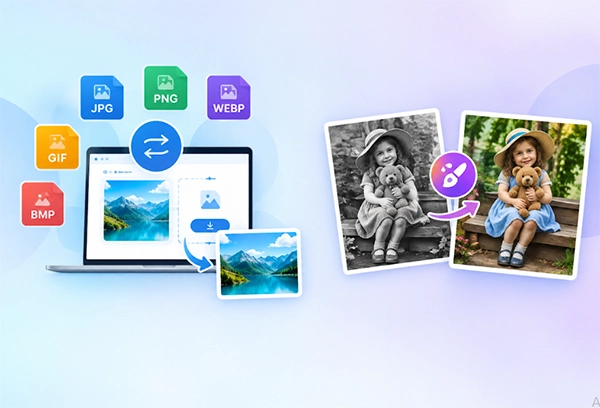
Free online photo tools are completely free to use, and you don’t even need to install them on your system. They can be accessed and utilized for the intended purpose right from browser tabs. No skill set or subscription is required in advance, as all these platforms offer high automation and drag-and-drop or copy-and-paste functionality.
Some major common types of such tools are online image converters, resizers, compressors, inverters, as well as basic background removers. You will find plenty of these available on the internet. To be more precise, people usually use the following for their day-to-day image-tool needs free of cost.
- PNG to JPG
- JPG to PNG
- Image Compressor
- Image Cropper
- Image Resizer
- Image Rotator
- Passport Size Photo Maker
- Add Text to Image
- Blur IMage
- Image Filters
- Meme Generator
- Collage Maker
Where Free Online Photo Tools Work Best for Photographers
The following are the instances where photographers can take maximum advantage of the free online photo tools. These are related to converting image formats, turning film negatives into digital color photos, and other tasks as provided below.
1. Converting Image Formats for Clients, Print, and Web
Photographers can use free online photo tools to convert image formats. It is used for a multitude of purposes, such as converting TIFF to JPG for client delivery. Furthermore, PNG to WebP is used for portfolio speed, along with other uses. The tool specifically used for this purpose is called a free online image converter.
2. Turning Film Negatives into Digital Color Photos
It is another place where online image tools are utilized for their quick work and no-cost policy. Some images are not visible enough for viewers due to film negatives. Thus, they require additional work to make them digital color photos. Tools in this regard help convert negatives to color photos online.
3. Quick Resizing and Compression
Many a time, it so happens that images are available in inappropriate sizes, and thus you have to compress them. After compression or size readjustment post-production, they become fit for the intended use.
4. Safety Checks Before Uploading Client Photos
However, before using any tool for image-related editing, one must always check that these platforms are safe and reliable as well. If an online free image tool automatically deletes the uploaded images the minute you close a particular tab or after some reasonable time, you might afford to use that tool.
Where Free Tools Fall Short
Free tools are easily accessible over the internet, but they also fall short on several fronts, such as security, handling complex images, dealing with images with multiple issues, etc. Furthermore, you cannot expect these tools to correct issues when you need to perform a mass action across more than a hundred images. Such tools are only for small changes or handling 5 to 10 images or even fewer.
For such situations, you need professional photo editing services, such as image masking, photo retouching, and color correction.
What Professional Photo Editing Offers
Professional photo editing offers a lot of benefits to photographers. They can take the help of skilled experts to perform all sorts of manual editing on their photographs. And just because they are experts, there is no substantial risk of damaging the quality as well.
Furthermore, this service also makes handling bulk actions more manageable. Quality will be controlled better, and all the images come out as consistent as possible for maximum visibility.
This professional photo editing service is often known for its quality wedding photo retouching.
Free Photo Tools vs Professional Editing: Side-by-Side Comparison

The key comparison between free photo tools vs professional editing is provided in the table below. These are based on key factors such as upfront price, AI capabilities, RAW file support, cloud storage & sync, etc.
| Feature | Free Photo Tools | Professional Editing |
| Upfront price | Free to use | Comes with a price tag |
| AI capabilities | Basic | Advanced |
| RAW File Support | Good but delayed | Immediate with high-end quality |
| Cloud Storage & Sync | Often not available | Integrated SaaS |
| Professional Support | None to little | Dedicated support |
| Updates & stability | Irregular | Consistent |
A Hybrid Workflow: Using Both to Save Time and Money
If you are confused about which one you should choose, try to adopt a hybrid approach. Choose free tools for simple and individual image editing requirements and take advantage of professional help when it comes to bulk editing and complex issues. That is because both have their own cons and pros.
For example, photographers can use free tools to retouch minor issues on individual wedding photographs. However, if the entire gallery of more than 500 images needs different fixes. In that case, it is a better option to delegate the work to an outsourcing agency for fast work without compromising quality.
How to Decide: DIY or Outsource?
It is very easy to do that. You just need to ask yourself a few simple questions.
- How many images are there requiring editing?
- Are they client-facing or for personal use?
- Do you need to ensure consistent brand or gallery styling for all of them?
- What is your time worth per hour?
- Is it a mechanical task or requires constant human judgement?
Answer these simple questions, and you will instantly know which option, whether free image tools or a professional editing option, is best for you! Or, you might also need both.
Conclusion
You must use all sorts of online free image editing tools if they are safe and you have time. However, these can only be used for minor issues on individual photos. For bulk actions and complex editing needs, professional editing services are preferred. Visual Clipping offers a multitude of image editing services with a reasonable free trial. Try now.
FAQs
Q1. Are free online photo tools safe for client photos?
Ans: That depends on the privacy policy of the platform you are using. If the platform deletes the uploaded data after work is done and doesn’t sell it to a third party, consider the tool to be safe.
Q2. Can free tools replace professional photo retouching?
Ans: No. Bulk actions and complex issues often require human capacity and professional skills for quality work.
Q3. What is the best image format to deliver photos to clients?
Ans: JPEG is considered the best standard image format for this purpose.
Q4. Can I convert film negatives to digital photos without a scanner?
Ans:Yes. You can do that with the help of a professional editing service provider.
Q5. When is outsourcing photo editing worth the cost for photographers?
Ans: Outsourcing photo editing is worth the cost when your time is more expensive than money.