
When any product image is displayed on an Amazon product page, small issues such as uneven backgrounds, distracting reflections, dust, poor color balance, or clipped edges can make the product image look unprofessional; for example, jewelry needs to look clean, accurate, and detailed to avoid compliance penalties. That is why professional jewelry retouching service is an essential step for any successful e-commerce brand.
We are going to focus on making jewelry photos professional, following the rules stated by Amazon, which include: the main image should have a pure white background, show the actual product, be clean and professional, and at least 85% of the space should be occupied by the actual product in the image, with at least 1000 pixels on one side to enable the zoom function.
This guide explores the steps of preparing the jewelry photos for Amazon, precautions to take, jewelry photo retouching, and marketplace-ready images.
Why Jewelry Images Get Rejected On Amazon
Jewelry is difficult to capture and edit because polished metals and gemstones easily reflect their surroundings; even a small amount of dust can be visible when the image is enlarged. Some common problems to discuss here:
- Not a pure white background on the main page.
- Product occupying too little of the frame.
- Blurry, exaggerated, or jagged edges.
- Text, logos, graphics, or watermarks.
- Unwanted props or accessories.
- Not a representable jewelry image.
- Excessive cropping or missing product details.
- Poor lighting or focus.
- Artificial look from retouching that changes the appearance of the jewelry.
Amazon specifically identifies non-pure white backgrounds, text/logos/watermarks, products occupying less than 85% of the frame, and blurry or jagged images among prohibited main image problems.
Amazon’s Strict Image Requirements for Jewelry
The following Amazon requirements are especially important for the main product image.
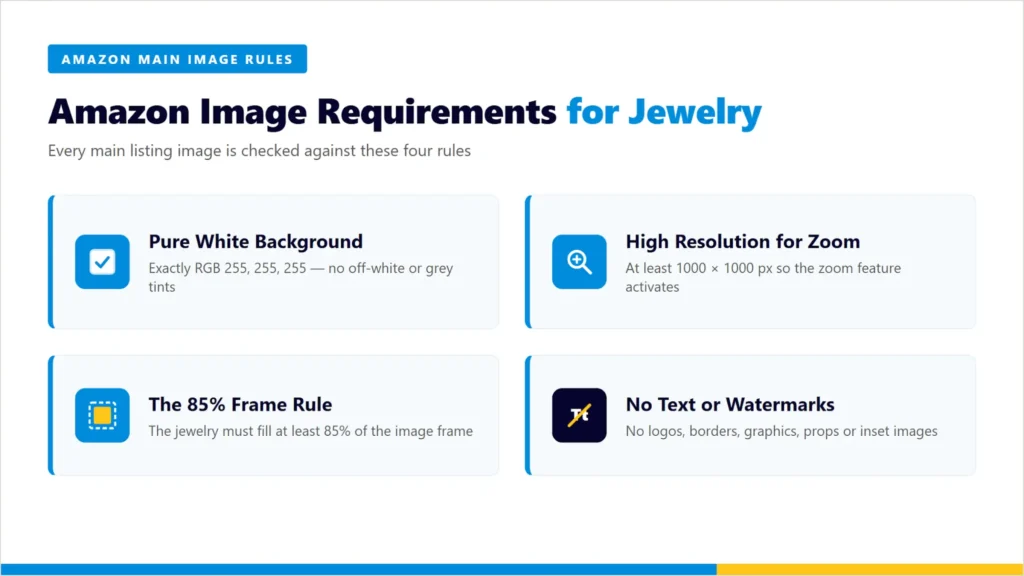
1. Pure White Background (RGB 255, 255, 255)
Amazon requires the main image to use a pure white background, with RGB values of 255, 255, 255. For jewelry, this can raise some challenges, as thin chains, transparent stones, prongs, and polished edges can lose their identities against a pure white background. Therefore, editing should focus on:
- Creating a clean white background.
- Preserving the complete outline of the jewelry.
- Keeping thin chains and small details visible.
- Avoiding gray halos around the product.
- Checking edges at high magnification before delivery.
2. High Resolution for Zoom (1000x1000px Minimum)
Amazon guidance suggests that images should be a minimum of 1000 pixels in height and width to enable zoom, while the smallest acceptable size is 500 pixels and the maximum size is 10,000 pixels for the longest side.
3. The 85% Frame Rule
Amazon requires at least 85% of the image to be filled with the main product. It is an important part in the case of jewelry because rings, earrings, pendants, and small gemstones can easily appear too small when surrounded by excessive white space. Editors should be careful while checking:-
- Product size within frame
- Balancing White space
- Complete product visibility
- Edge-to-frame distance
- Careful cropping to avoid cutting important details
Amazon has a specific exception for necklaces concerning cropping at the frame edge, so editors should not apply a blanket rule (never crop jewelry) without checking the applicable category guidance.
4. No Text, Watermarks, or Logos
The Amazon main image should not contain added text, logos, watermarks, borders, graphics, or inset images. The image should be the actual representation of the product instead of any illustration or graphic. This helps editors remove accidental overlays or any other issues from the image.
Also Read: Etsy Product Image Requirements 2026: Everything Jewelry Sellers Need to Know
The Biggest Challenges in Jewelry Photo Retouching
Jewelry requires more careful retouching due to the reflections, small surfaces, gemstones, and fine construction details.
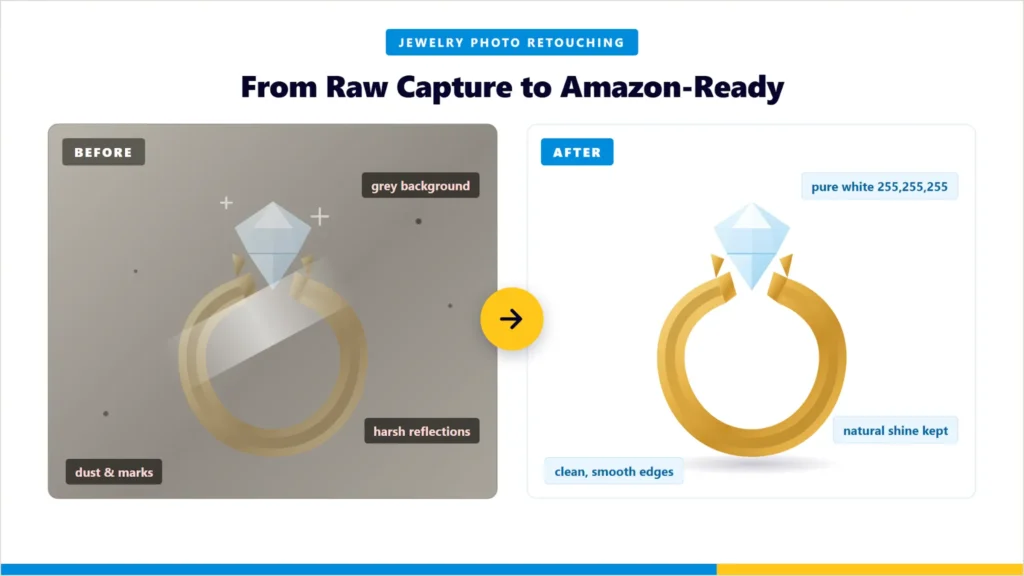
Managing Metal and Gemstone Reflections
Gold, silver, platinum, stainless steel, and polished gems can reflect camera lights, studio equipment, and surrounding surfaces. That doesn’t mean that reflections are bad, but they can help determine the shape and material, so not every reflection is a bad reflection. A professional retoucher should:
- Reduce distracting reflections
- Preserve natural highlights
- Maintain the appearance of the polished metal
- Avoid making metal look flat
- Keep gemstone facets and edges visible
Retaining True Stone Color and Clarity
Correcting the colors leads to improved consistency without changing the appearance of the product. For different gemstones, editors should be careful with:
- Saturation
- White balance
- Exposure
- Contrast
- Highlight recovery
- Shadow detail
Editors should avoid over-editing that makes the appearance of the product more vivid, darker, lighter, or more transparent than it actually is. That can lead to a misleading representation of the product.
Removing Mannequins and Display Stands
If jewelry was photographed on a display stand, holder, mannequin, or support, the editor aimed to remove the visible support depending on the intended image and Amazon’s guidelines. For the main image, Amazon states that the product in the image should be visible without props that may confuse customers.
The editor’s ultimate goal is to reconstruct areas that are hidden by the support without changing the appearance of the given product.
Handling Chains, Clasps, and Fine Details
The most difficult parts of isolating cleanly are the jewelry components. Where editors need to pay special attention, including:
- Fine necklace chains
- Bracelet links
- Earring hooks
- Ring prongs
- Clasps
- Small gemstone settings
- Open loops
- Tiny gaps between metal components
A rough background removal can leave some pixels when cutting through these areas. For jewelry, a carefully created clipping path and manual edge refinement are more effective than relying entirely on automated tools.
Step-by-Step Editing Workflow for Amazon-Ready Jewelry Photos
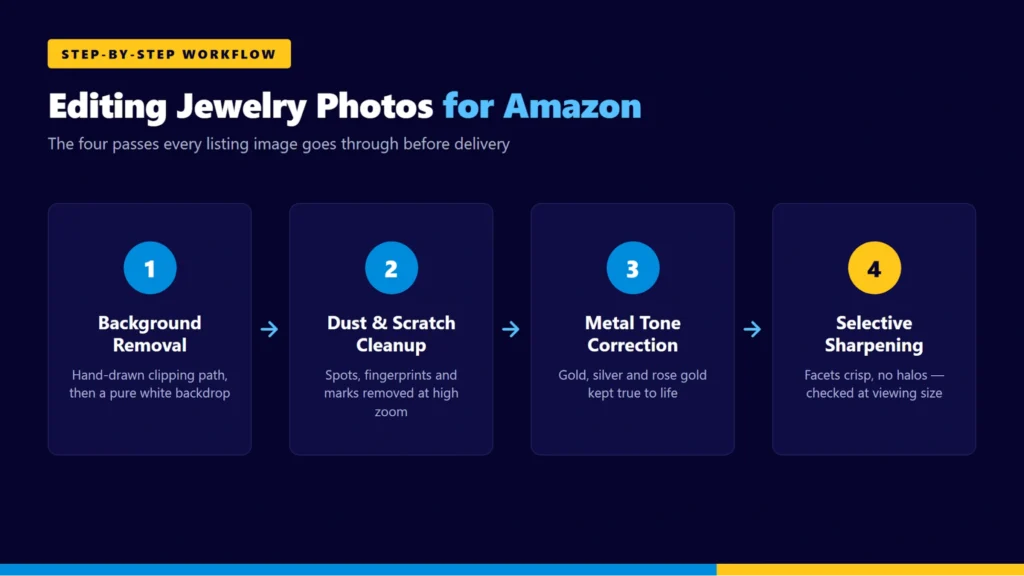
1. Background Removal & Clipping Path
A professional background removal workflow look like this:
- Look at the original picture of the product.
- Start drawing the accurate clipping path for the product.
- Refine difficult areas, including chains and prongs.
- Remove unwanted elements from the background.
- Change the background to the desired white background.
- Final check at edges, or higher magnification.
We aim to do a clean outline and not take out the actual product information.
Also Read: Clipping Path vs Background Removal
2. Dust and Scratch Removal
The important part in the case of jewelry photos is to remove tiny dust particles, fingerprints, and surface marks that are visible in the photos. Professional photo retouching remove:
- Dust spots
- Small fingerprints
- Temporary surface marks
- Sensor spots
- Minor photographic distractions
Over-retouching can make the product feel flat; instead, it should preserve an accurate representation of the product in the image without removing the permanent characteristics.
3. Metal Tone Color Correction
Metals should be represented in their natural form. For example:
- Yellow gold should not become unnaturally orange.
- White gold should not become grey in the images.
- Silver should be represented by its realistic shadow and highlights.
- Rose gold should maintain its characteristic warm tone.
Use the original photograph of the product and correct colors where required to avoid unnatural color correction.
4. Sharpening Without Losing Detail
Sharpening helps with jewelry photos that contain small edges, but doing it excessively can create halos and make gemstones and metal surfaces look artificial.
A good workflow would look like this:
- Sharpen selectively
- Preserve natural gemstone texture
- Avoid bright halos around edges
- Check the actual viewing size of the image
- Final check to avoid any issues
Also Read: How to Edit Jewelry Product Photos in Photoshop
Common Jewelry Photo Editing Mistakes That Trigger Amazon Rejection
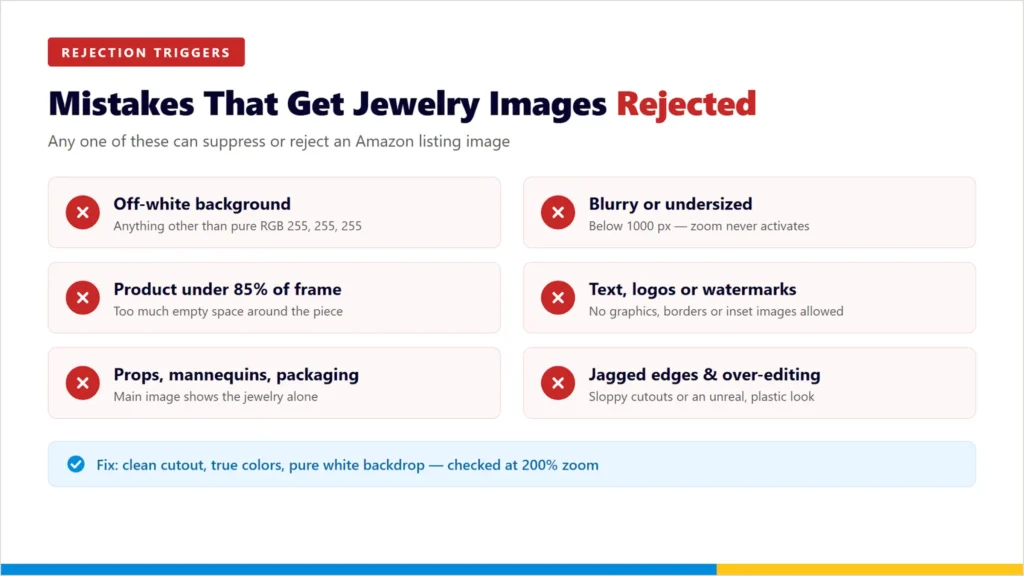
- Non-Pure White Backgrounds: Not using exactly pure white (RGB 255, 255, 255).
- Poor Sizing and Resolution: Using images that are blurry, undersized, or do not fill more than 85% of the frame.
- Including Prohibited Elements: Adding text, logos, watermarks, unincluded props, or mannequins to the main image.
- Sloppy Editing: Excessively editing the item so it appears inaccurate, or having jagged edges from low-quality background removal tools.
- Improper Cropping: Cutting off key product information instead of using correct jewelry framing methods.
- Lacking Depth and Clarity: Providing an image that passes the basic technical requirements but fails to show the significant details in the jewelry because it is flat, poorly lit or otherwise lacks clarity.
- Using Mockups or Renderings: Submitting an illustration or placeholder image rather than a professional photo of the real physical product.
DIY vs. Professional Jewelry Photo Retouching: Which Is Better?
DIY editing:
It can be suitable when you have a small number of products, original photos are already clean, background removal is straightforward, or you have experience with Photoshop or similar software. It takes a lot of time due to the manual work, inconsistent outcomes, difficulty with chain and gemstone edges, incorrect color correction, and over-retouching.
Professional jewelry retouching:
It will be helpful if the seller has large jewelry catalogs, hundreds of listing images, complex and intricate designs, reflective and high-value metals and gemstones, or strict consistency rules. The aim is to make the process repeatable rather than simply making the photos attractive.
Also Read: Best Jewelry Photo Editing Software
How Visuals Clipping Helps Create Amazon-Compliant Jewelry Images
Jewelry photo editing for Amazon is a very detailed process and we have been doing it for the past 20 years.
Our editing is 100% manual, unlike automated tools which always fail with fine chains, intricate prong settings and polished metals. Each photo is meticulously retouched by a professional Photoshop artist to guarantee that your products appear perfect, natural and ready to sell.
Our specialized jewelry retouching services include:
- Precision Background Removal: Hand-drawn clipping paths for perfect, non-jagged edges.
- Pure White Backgrounds: Amazon compliant 100 % guaranteed (RGB 255, 255, 255).
- Meticulous Cleanup: Removal of dust, scratches, smudges and blemishes.
- Color & Brilliance Correction: Polishing of metals and brilliant enhancement of gemstones.
- Realistic Shadows: Drop shadows and natural reflections for a premium 3D look.
- Bulk Image Preparation: Sized, cropped, and formatted perfectly for Amazon.
Each finished image undergoes an independent Quality Control process to ensure it is delivered flawlessly. If it isn’t exactly what you need, we’ll fix it—revisions are always included at no extra charge.
Start your free trial — upload your jewelry images now
Frequently Asked Questions (FAQs)
Q1. What image size does Amazon require for jewelry?
Ans: To enable the zoom feature on Amazon, the width of the largest side of the image should be at least 1,000 pixels – which is very important for jewelry. The minimum is 500 pixels and maximum is 10,000 pixels.
Q2. Can I use a lifestyle background for jewelry on Amazon?
Ans: Not for the main image—that must be pure white (RGB 255, 255, 255). For the secondary photos (slots 2-7), however, you can (and should) use lifestyle backgrounds, infographics and size-scale photos.
Q3. Do I need to add shadows to my Amazon jewelry photos?
Ans: They aren’t required, but they are highly recommended. Amazon allows real drop or real reflection shadows on pure white backgrounds. A subtle shadow grounds the jewelry and gives it a premium, 3D look.
Q4. What file format is best for Amazon product images?
Ans: Amazon accepts JPEG and TIFF files, PNG and non-animated GIFs. JPEG is strongly recommended as it provides the highest image resolution and quick loading time.
Q5. Can I show the jewelry inside its packaging for the main image?
Ans: No. The main image should display the jewelry completely off its box or pouch. Photos of your lovely packaging should be saved for the other image slots.
Q6. How fast can jewelry photos be edited for Amazon?
Ans: Turnaround depends on volume and complexity. Simple edits are quick, but more complex tasks involving chain masking, glare elimination and color correction of gems require careful manual effort. We usually return finished, quality-checked batches within 12 to 24 hours.