The difference between high-end vs basic retouching is the depth of editing. Basic retouching basically fixes surface blemishes at once and takes only a few minutes, but high-end retouching takes much longer because it rebuilds details pixel-by-pixel. For example, you can choose basic retouching if the images are for a catalog or some ecommerce photo retouching, and choose high-end retouching if the image is to be put on a high-dimensional billboard or magazine. Choosing the one also depends on your brand’s credibility and budget. We will explain how to pick the right style for your platforms and will also introduce you to the hybrid approach and its applications.
What is Basic Retouching
Basic retouching itself is not just one technique; it is three small jobs done in a particular order. Firstly, removes distractions, such as blemishes or unwanted particles from the image. Next is color correction. It includes changing the overlay color if it is not visible. And finally, shaping the light, i.e., adjusting the exposure and balancing contrast.
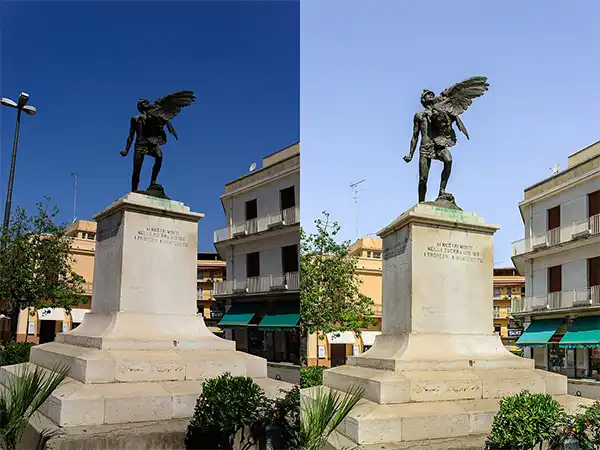
Basic retouching is done to just clean up minor imperfections and improve the overall look of the image without changing the natural appearance. So, instead of remaking the image pixel-by-pixel, you just improve the characteristics of the image. Following, we will see what image basic rectouching includes for a better understanding.
What Basic Retouching Includes
So far, you know, basic retouching is not a single thing. It includes various steps that enhance the focus on the image subject.
- Background Removal and Clipping Path
Separating the main subject from the original environment by background removal or clipping path creates a clean focus on it rather than the whole image. Tools like Photoshop’s Pen Tool are used for this. This is one of the best basic retouching techniques for minimal branding needs.
- Cropping and Resizing
To perfectly balance the image, cropping and resizing are important. Setting the boundaries and dimensions of the image to meet the global format specifications needed by websites or social channels.
- Basic Color and Exposure Correction
To balance overall lighting and color tones, basic color and exposure correction is important. It fixes:
- Underexposed photos (the images that are too dark)
- Overexposed photos (the images that are too bright)
This makes sure the image colors look the same on the screen in different regions.
- Simple Blemish/Dust Removal
A cleanup process for surface imperfections. It is done to erase any temporary or accidental marks, fixing the minor flaws on the product. Clearing them gives a final visual that looks highly polished.
Also Read: Photo Retouching vs Photo Editing : What’s the Difference?
What is High-End Retouching
Now that you know about basic retouching, let’s understand high-end retouching so that the comparison between high-end retouching vs basic retouching becomes clear. High-end photo retouching is a technique to manually split the image into independent layers of raw texture and color. Here, you can modify any layer of the image you want. Where basic retouching relies on automated filters or blurring, high-end photo retouching is something more complicated. You get a hyper-polished and magazine-ready flawless image, very apt for luxury branding. Also, high-end headshots get 21x more views and 36x more messages on professional networking platforms like LinkedIn.
Also Read: Behind the Scenes: Professional Photo Editing & Retouching Company Workflow
What High-End Retouching Includes
High-end photo retouching uses advanced manual techniques to modify the light, shadow, color, etc. without damaging the organic details of the original photographs. Due to its high-quality results, it is used in e-commerce, fashion, and jewelry photo retouching.
- Frequency Separation Skin Retouching
This advanced technique splits the digital image into 2 completely independent layers, i.e., one for color/tone and one for fine surface texture. By separating them, you can smooth out skin tones and blend transitions on the color layer without changing or blurring natural skin pores or textures on the top layer.
- Detailed Dodge and Burn
Dodging and burning refers to lightening and darkening specific pixels of an image to balance out a product’s look. It is a manual process borrowed from traditional darkroom photography.
Now you might think lightening and darkening can also be done in basic retouching, but no. Here, it is different. Here, a retoucher uses a digital brush to smooth out transitions pixel by pixel.
- Advanced Color Grading
It is an intentional manipulation of color tones. High-end retouchers use digital color wheels and 3D lookup tables to treat colors surgically. Selectively shifting specific hues, they add 3D depth and make sure the color of the product is seen the same across all digital screens and printouts.
- Body/Product Reshaping and Fine Detail Work
Here comes making micro adjustments to the geometry and structure of the subject. Using liquifying and wrapping tools, the subject is fixed; for example, the drape of clothing, fixing stray hairs, postures, straightening asymmetrical lines, and cleaning up reflections on surfaces.
- Multiple Rounds of Manual Refinement
High-end photo retouching is an iterative process; images pass through multiple layers of quality control. It rarely finishes in a single session. This ensures every millimeter of the visual aligns perfectly with the creative vision.
Channel Guidelines Demand: Platforms like Amazon and Shopify now request or support up to six or nine high-quality images per listing.
High-End vs. Basic Retouching: Comparison
Over-editing an image can make it look artificial. You need to understand the difference and make choices based on your requirements, time, and the final placement of the image. For example, a company will use basic retouching to quickly process 1000s of daily e-commerce products, but will use high-end image retouching for a single image made for the luxury billboard.
High-End Retouching vs Basic Retouching Comparison Table
| Feature | Basic Retouching | High-End Retouching |
| Primary Goal | Surface-level cleanup | Pixel-level perfection |
| Skin Approach | Simple blemish removal | Non-destructive texture preservation |
| Techniques Used |
|
|
| Tools | Adobe LightroomBasic Photoshop tools | Advanced Photoshop tools |
| Time Per Image | 3 to 5 minutes | 1 to 6+ hours |
| Layer Count | 3-5 adjustment layers | Infinite/extensive non-destructive layer stack |
| Average Cost | Low ($0.35 to $5 per photo) | High ($20 to $150+ per photo) |
| File Formats | JPEG only | RAW, TIFF, PSD formats |
| Best Used For | Social media, e-commerce, and casual headshots | Luxury ads, magazine covers, and high-end campaigns |
How to Decide Which Retouching You Actually Need
Choosing between high-end retouching vs basic retouching depends on your professional pals, budget, and where the final image will be displayed. You do not need to pay premium rates for pixel-perfect editing if your photos are meant for e-commerce product listings. Similarly, using basic retouched photos for a marketing campaign can make your brand look unprofessional. Use this framework to choose the types of photo retouching:
Choose Basic Retouching If:
- You need images for low-visibility roles: You need to upload hundreds of standard product images, images needed for internal operations, presentations, documents, etc.
- You’re on a tight budget: You want an affordable image cleanup that fixes just the minor issues for a few dollars.
- Your deadline is immediate: You need images urgently, so you can only spend a few minutes per image.
Choose High-End Image Retouching If:
- You are launching luxury campaigns: Your images will appear on high-resolution screens/magazines.
- You want customization: Your brand needs different color grading and selective shape routines to follow. You want to have an edited picture but with your own brand design guidelines.
Also Read: Inside the Quality Control Process of a Top US Retouching Company
Can You Mix Both in One Project?
You can absolutely mix both basic and high-end retouching in a single project. In fact, combining these two types of photo retouching might result in a major positive outcome, which most retail brands do. So, instead of treating photo editing as an all-or-nothing choice, smart creators use this hybrid strategy to maximise their budget and speed up production.
Why the Hybrid Strategy Works:
- Massive Cost Savings: Suppose you have 500 catalog shots, so instead of paying for high-end photo retouching for all of 500 photos, you pay the premium rate for the 5 flagship hero images. The remaining 495 photos are cleaned up using basic retouching. This saves you a huge amount.
- Faster Deliveries: Waiting for 100s of high-end photo retouching can delay product launch. So by sorting your images, you can just edit selected images with high-end retouching.
How Visuals Clipping Offers Both Tiers
Visual Clipping offers both high-end retouching vs basic retouching so that brands can easily scale their content creation without needing to manage and shuffle between separate teams. It designs a customized workflow for your specific campaign requirements, where you get the flexibility to shift between high-volume commercial cleaning and pixel-perfect artistry.
- Visuals Clipping handles both basic and high-end image retouching edits.
- Get a free 10-image trial to check quality.
- Every final asset is customized to meet technical rules for global marketplaces.
- Every image delivery passes through a multi-check backed by unlimited free revisions to ensure final files match your expectations.
Final Thoughts
Basic retouching is what you need for high-volume and surface-level cleanups. It can be applied to everyday social media feeds and online store catalogs to look clean and professional. On the other hand, high-end image retouching is a premium level of photo retouching that works at the pixel level. It adds 3D depth to luxury branding and high-definition branding.
Many successful businesses don’t just choose one of basic vs advanced retouching; they run both workflows side by side to balance the editing. Manage everything from high-volume catalogs to pixel-perfect image retouching with Visuals Clipping.
FAQs
Q1. How much more does high-end retouching cost than basic editing?
Ans: High-end retouching costs around $20 to $150+ per photo, which is significantly more than basic editing. This is because it involves high-precision editing between advanced localised texturing layers and non-destructive tools rather than just global adjustments.
Q2. Is high-end retouching worth it for ecommerce product photos?
Ans: No, high-end retouching is not worth it for everyday e-commerce product photos because basic retouching like background removal and basic clipping paths is sufficient for them. Over-editing the standard product images can make them look artificial. High-end photo retouching can be done for e-commerce billboard or magazine images.
Q3. How long does high-end retouching take compared to basic editing?
Ans: High-end retouching takes hours per image, and basic retouching takes only a few minutes. This is because basic retouching includes quick things like light adjustments, cropping, or basic brush touch-ups, but in high-end retouching, a single image is edited layer by layer.