An accurately edited image from free online photo tools supports more than a single post or product page. The visuals can become the starting point for short videos, social campaigns, and reusable branded content once the composition, color, and subject are polished.
This way, you can adapt one edited image for many content formats while keeping your visual identity consistent. The key is to prepare images carefully, add motion with a clear purpose, nd adapt every asset to the platform where people will watch it.
The Foundation of Great Visuals
Motion cannot hide weak source material. Before turning a still image into video, check the details that affect clarity, composition, and visual continuity. Start with a high-resolution file that gives you enough room to resize or crop without producing blurry edges.
Removing distracting objects, correcting uneven lighting, and cleaning up rough outlines around clipped areas should be the main focus. Compare the light direction and color temperature in both elements while placing an isolated product or person onto a new background.
A warm foreground against a cool, blue-toned background can easily look artificial even when the clipping path is right.
Composition also affects how well an image can move. Leave space around the subject for camera effects such as a slow zoom, pan, or tilt. A tightly cropped portrait offers fewer animation options and may require image expansion before production.
Prepare a master file with editable layers and export separate versions for different uses. Keep one clean image without text because headlines often need to move when the aspect ratio shifts.
The popularized visual content on Instagram also makes consistency valuable, allowing you to record your preferred fonts, colors, and editing treatments in a simple style guide. These choices support every later version to feel connected to the same campaign.
How Video Can Support Audience Engagement
Video combines imagery, pacing, sound, and text in one format. Combining imagery, pacing, sound, and text gives you several ways to communicate a message, even when they watch for only a few seconds. A short product clip might show an item, highlight one feature, and end with a clear action in less time than it takes to read a long caption.
Depending on the content and audience, movement can help draw attention in a busy feed. That can be a subtle push toward the subject, changing light, or animated background detail that can create enough visual activity to hold interest without making the scene feel chaotic.
Practical video engagement methods specifically focus on concise storytelling, useful information, and clear calls to action because motion alone does not guarantee a response.
Give each video one primary job. A six-second clip might introduce a sale, while a 20-second version could demonstrate three product features.
Trying to fit brand history, a tutorial, and a promotion into the same short video usually weakens all three messages. A focused video message can complement professionally retouched images in a broader campaign.
Do not forget the silent viewing, design them too. Add readable captions and brief on-screen text, but keep the wording limited to what viewers demand.
Sound can add atmosphere when available, yet the visual story should still make sense with a device muted. This makes the content more accessible and more useful across everyday viewing situations.
Effortless Video Creation from Photos
Begin with a specific motion idea instead of asking an editing tool to animate every visible element. A portrait may need a gentle head movement and natural expression. A product image may benefit from a slow camera orbit, controlled zoom, or light shift that reveals its texture.
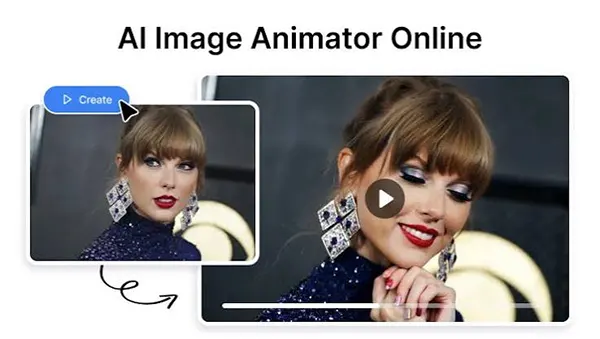
Upload a finished reference image to MixVio’s image-to-video generator for a quick production workflow, and select motion and formatting options that fit the intended channel to generate a short draft.
Review the results for distorted details, inconsistent edges, and movement that conflicts with the original composition.
Keep early tests short. A five-second draft, for instance, renders the central idea quickly and lets you adjust the prompt or source image before creating a longer clip. Describe one camera action and one subject action in clear language.
For example, request a gradual push-in while fabric moves slightly in a breeze. Too many instructions can lead to unpredictable motion.
Always focus on a different detail during each pass while watching the exported clip several times. Check the subject first, then the background, edges, text areas, and final frame.
Create a version without that element and add the original graphic during final editing if a logo or product label changes shape during movement. This preserves brand accuracy while still giving the surrounding scene a natural sense of motion.
Optimizing for Different Platforms
Create platform-specific exports from one clean master video. A vertical 9:16 composition works well for full-screen short-form feeds, while square or 4:5 versions can occupy more useful space in other feed placements.
Horizontal video remains practical for websites, presentations, and standard video players.
Keep faces, products, and essential text inside a central safe area because interface icons and captions may cover the outer edges while cropping. Before publishing, preview the video on a computer to ensure it can be read on a smaller screen.
Establish the subject or message early in the video. Start with the finished product, a noticeable movement, or a concise headline. Long logo animations often use the most valuable part of a short clip before viewers understand what they are watching.
Insights on effective social media content support tailoring creative choices to the audience and purpose of each channel.
Export at the highest practical quality allowed by the platform and avoid repeatedly compressing the same file. Save the master separately, then make each version from that source. Check captions for spelling, confirm that transitions have no blank frames, and choose a thumbnail that remains clear at a small size. A still frame with a visible subject usually communicates more than an abstract transition.
Content Strategy for Visual Assets
Treat every finished image as part of a small content system. One edited product photo could become a website banner, a vertical teaser, a short feature clip, and several close-up posts. Planning those versions together reduces duplicate work and creates a recognizable campaign without publishing the exact same asset repeatedly.
A simple inventory often records the filename, subject, format, usage rights, publication date, and campaign. Add notes about which crops and motion treatments have already been used. These practices prevent team members from surfing through folders or accidentally posting an outdated version.
A practical monthly plan can assign each asset a purpose:
- Use wide images for landing pages and presentation headers
- Turn strong vertical compositions into short social videos
- Crop detail shots for educational posts or product features
- Save alternate versions for follow-up posts and campaign reminders
Connect every piece to a measurable action. Awareness clips can be evaluated through reach and completed views, while promotional content may be judged through clicks or sign-ups. Video can also be used in mission-led campaigns. These social cause video ideas can help you plan content around a specific issue or call to action.
After a week, review performance and compare assets with similar goals. Compare retention data for videos with goals and relevant audience before choosing whether to use a particular motion style again.
Preserve the original edited files organized and reusable, since a successful still image can bring many months of variation when its strongest features remain intact.
Your final frame deserves the same attention as the opening. End on a clear subject, stable composition, and readable message so the video leaves viewers with an image they can recognize after the motion stops.
FAQs
1. How to turn an edited image into a video?
Ans: You can use an image-to-video tool to add motion, camera effects or add subtle background movement to an edited image.
2. What video format works best for social media?
Ans: Vertical 9:16 videos work for full-screen short-form content, while square 4:5 and horizontal formats suit other platforms and placements.
3. How to keep animated visuals consistent for a brand?
Ans: Use consistent colors, fonts, and editing styles, and review every video for distorted details, inaccurate logos, and unnatural movement to keep animated visuals consistent with the brand style.