In 2026 the main trends in video editing focus on producing content that stops people scrolling, editing more quickly, and keeping the viewers interested. This includes the use of vertical videos, strong captions and AI-powered tools, so that creators can find more intelligent ways of improving their content.
Short videos are currently dominating social media, which is why brands and content creators need to be familiar with short-form video editing trends. At the same time, both TikTok editing trends and Reels editing trends are highlighting catchy hooks, smooth transitions, trending sounds, and creative visuals.
Here’s the situation: it’s not necessary to copy all the viral trends. Effective editing involves combining new trends with strong storytelling and a consistent brand personality. Let’s look at the top video editing trends that are shaping 2026!
What’s Driving the Shift in Video Editing
In 2026 video editing is receiving a major upgrade. Since social platforms are constantly introducing new features, people are always glued to their phones and brands are in need of new content again and again. The editors have to keep up with this without allowing the quality to suffer.
TikTok, Reels, and YouTube Shorts all focus on vertical videos, strong opening statements, and content that gets straight to the point; however, what succeeds on social media may not succeed on LinkedIn, as a more refined approach can have a better effect there.
When it comes to mobile viewing, the small screen size requires a great deal of attention to detail. The captions must be easy to read, the visuals should be clear, and the audio shouldn’t sound as if it’s coming from somewhere else. If viewers have to exert too much effort, they’re likely to be scrolling away.
The amount of content that brands need—such as videos for product launches, tutorials, advertisements, and campaigns—means that editing all of it from scratch is a huge waste of time. By reusing clips and employing efficient workflows, teams can produce more content without having to add extra stress.
The Wistia 2026 State of Video Report points out the growing demand for video and the increasing role of AI in the production process. The changes mentioned are having an impact on editing trends for TikTok, editing trends for Reels, and on more intelligent methods for producing content more quickly.
Trend 1: Short-Form Vertical Video as the Default
Short videos can be found everywhere and their popularity shows no intention of decreasing. People are looking for content that is easy to watch, quick to understand, and interesting enough to make them stop scrolling. This is why short-form editing will be an important element of content creation in 2026.
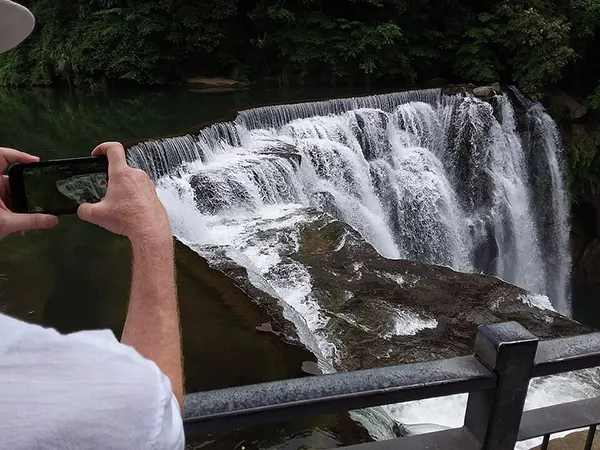
The 9:16 vertical format is commonly used on platforms such as TikTok, Instagram Reels, and YouTube Shorts since it fits well onto mobile screens.
How to Edit Short-Form Videos Effectively
Good short videos don’t require complicated effects; they just need a clear idea, good pacing, and visuals that keep the audience engaged.
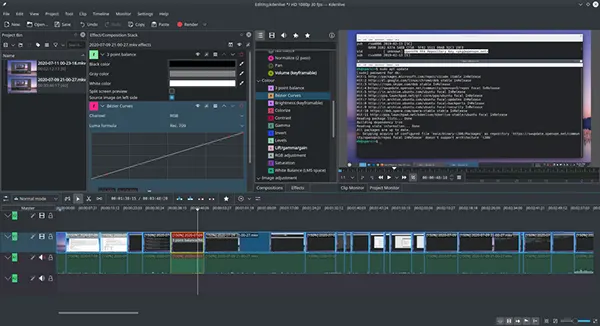
- Begin with the key idea: provide viewers with a reason to continue watching.
- Cut out any unnecessary parts: this will keep the video focused and easy to follow.
- Add helpful captions. Highlight key details.
- When selecting transitions, it is important to choose effects that are appropriate for the content.
- Ensure that the composition remains clear by keeping the primary subject in view.
Businesses can use these methods to explain services, introduce products, answer common questions, or share quick tips.
TikTok Editing Trends Creators Can Use
Current TikTok editing trends usually involve the use of strong opening statements, direct cuts, on-screen text, and audio that matches the atmosphere of the video. According to TikTok’s official creative advice, you should capture people’s attention, communicate the main point, and end with a clear conclusion.
Reels Editing Trends for Everyday Content
A lot of the editing trends associated with Reels emphasize clean text animations, detailed images of the products, consistent branding, and edits that maintain the flow of the story. Additionally, creators are able to convert their existing long-form content into shorter videos without losing the original message.
The way to do it is to not apply the same edit across all content platforms. You should adjust the pacing, the captions, the sound, and the opening hook so that they suit the audience you’re aiming to reach. This ensures that your content remains consistent at the same time as giving each video its individual style.
Trend 2: Dynamic On-Screen Captions
Captions have gone beyond being simple text at the bottom of a video, with dynamic captions in 2026 assisting creators in keeping viewers engaged even when the sound is switched off. Videos become more engaging thanks to animated phrases, highlighted keywords, and text that flows naturally with the speaker.
How to Make Captions Stand Out
- It must be tidy; be sure to use fonts that are legible and colors that are high-contrast.
- Emphasize positive aspects: don’t stop it from happening, highlight important words.
- Be sure to match the caption to the words spoken in accurate timing.
- Don’t overcrowd the screen; avoid writing on the faces and on the crucial visuals.
- Suggestion: Use captions that complement the text; don’t steal the show. Be animated, follow your brand’s style, and review any captions appearing robotically before publishing. Clean and readable content always comes out on top.
Trend 3: AI-Assisted Editing
AI is automating tasks typically associated with video editing, which has been known to be a time-consuming process. The video editing tools are not meant to be fully replacing workflow but to streamline some workflow steps.
Here’s where AI can help:
- Make quick rough cuts by identifying any awkward pauses and removing unnecessary sections.
- Auto-transcription: Change spoken words into draft captions.
- Audio that is cleaner: this involves reducing the background noise and making the voices clearer.
- Selecting the right clip: This will help you identify the most impressive moments in podcasts and interviews.
- B-roll ideas: Suggest some footage that suits the main story.
For businesses that deal with a lot of video content, this can save them time and make the process of repurposing easier.
The problem is that edits produced by AI still require a human element. An automated rough cut might remove useful context being removed, captions could be inaccurate, and audio enhancements can at times sound wrong.
Here’s how to make use of this trend: Apply AI to the tasks it can speed up in your workflow, and then check the edit yourself. It’s still important to have good pacing, accurate details, and a consistent brand style.
Trend 4: Repurposing One Video Into Many Formats.
There’s no need to start from scratch when you already have strong footage. Use of your video assets means that brands can produce more content without the necessity for having to add to each project.
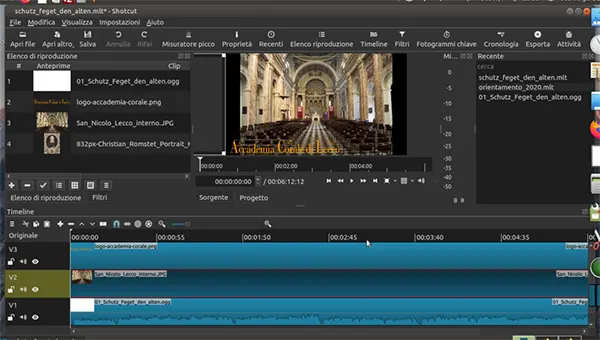
One webinar may be produced into brief “tutorial,” brief “teaser” or quick “answer to a frequently asked question” segments. You can use a single product demo in your social media posts, ads, and Web video.
How to Repurpose Videos Effectively
Start off with the moments that you don’t necessarily have to tie into a bigger format. Edit the “stuff” and add a good opening, create a video for its intended platform.
A single shot can be used to make verticals, squares and a landscape cut.
Here’s the rub, though—this is not always going to work if you simply take a standard crop. A Reel might require a heavier hook or a video on the site might require a greater amount of context.
Tip: Create more than one video every shoot session! Cut a number of times and arrange and file your film clips by each.) Ensure you are using every cut for a particular purpose.
Trend 5: Faster Pacing and Hook-First Openings.
The opening couple seconds are make or break in any video. A hook opening will stick with the audience because it offers them something they want to see, whereas a long intro will only keep them waiting for what is about to follow.
Begin by posing a persuasive question, a personally shared though-provoking problem, a visually compelling image or a outcome worth gazing at. Use a product that addresses a need, rather than a lengthy, uninteresting logo animation.
Does Faster Pacing Mean Faster Cuts?
Not necessarily. A good pace does not add fluff and takes out on the pace as well. Tutorials and demos benefit from deliberate pauses; interviews should breathe naturally, and it is often better to have tighter edits for ads.
Tips: Common sense tip: watch the first 5 seconds of each video. Make quick points, kill needless loopholes, and utilize every shot.
Trend 6: Authentic, Lo-Fi Aesthetics Alongside Polished Brand Video.
All things do not have to be produced in Hollywood fashion. Occasionally, there are better vibes that overlook fancy transitions.
Lo-fi videos maintain the relaxed ambiance by utilizing organic light and straightforward cuts. Releasing videos that look polished not only provides clear visuals, and crisp audio, but the high-end brand feel as well.
Pro tip: Choose your vibration before making edits. An awful friend to you on a comedy reel does not serve as a presentation about a corporate event.
Trend 7: Sound Design and Music Licensing Awareness.
If your video is 10/10, but your audio quality is comparable to an “underwater podcast,” it’s possible that you’ll lose the viewers. Be sure it’s loud enough for everyone to hear, not too loud or too soft, and that the music isn’t excessively loud, and the sound effects are not too loud or far away.
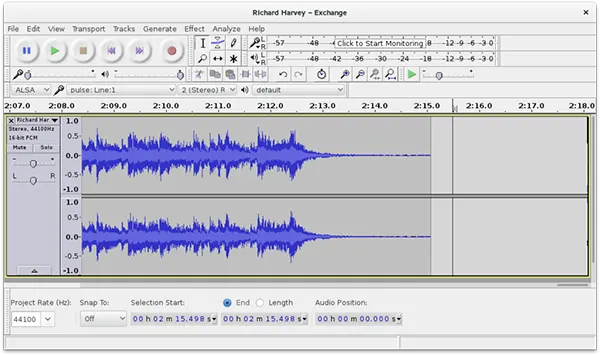
A key reckoning on music is underway: a now-viral song may not always be commercial-ready. Search TikTok’s Commercial Music Library for business-focused music that you can locate on TikTok.
Pro tip: Make sure to review permissions prior to posting. Partnered with copyright confusion isn’t a story you want in your brand.
Trend 8: Accessibility: Captions, Subtitles and Readability.
The perfect video should be able to remove all the misunderstandings about what has been conveyed. Captions are helpful for users’ who have hearing problems or for users who have their sound turned off. It’s possible to place your content on screen with audio narration, and reach additional audiences, too.
Ensure the text is clear and make it easier to read, and ensure that the visuals are followed.
One tip: Examine the captions while on mobile before posting. If the text is moving across the screen make the text simple.
What AI Can and Can’t Replace.
AI is capable of tedious tasks, such as transcription, rough cuts, auditing and searching for clips. It eliminates the significance of the editor’s tedious job in a sense.
But storytelling? But of course, it’s still a human thing. It’s the editors’ job to know how and when to cut and how to keep.
Use AI for repeatable tasks; keep creative and strategic decisions with your team. Terrific decisions, too, at times with smart tools!
How Businesses and Agencies Can Adapt.
You do not have to follow all the trends in video editing as if it were a part-time job. Get a workflow that works!
- Build a workflow: Keep briefs, reviews, and file delivery organised. Chaos is not a creative strategy.
- Set platform rules: Define fonts, colours, captions, and formats for each platform.
- Use AI smartly: Automate repetitive tasks, not every creative decision.
- Repurpose content: Turn webinars, interviews, and demos into multiple videos.
- Track performance: Check watch time, engagement, and conversions.
- Outsource when needed: Get extra support from video editing service providers before your team hits burnout mode.
Video Editing Support From Visuals Clipping.
Keeping up with video editing trends in 2026 is exciting until your editing queue starts looking like a full-time villain. Professional support can help businesses keep content moving.
Visuals Clipping lists services for Reels and Shorts, product videos, colour grading, audio cleanup, and background removal. Explore its video editing services for project details.
What can they help with?
- Reels and Shorts: Turn raw clips into platform-ready content.
- Captions: Keep your message clear and readable.
- Colour grading: Give videos a polished, consistent look.
- Audio cleanup: Reduce distracting noise where possible.
- Repurposing: Adapt footage for different formats.
The workflow, minus the drama
- Send your footage, brief, and references.
- Confirm the scope, price, timeline, and revisions.
- Review the draft and share clear feedback.
- Approve the final files.
Quick tip
Project timelines depend on complexity, so confirm deadlines and revision limits first. Have your brief ready? Contact Visuals Clipping to discuss your needs and request a quote. No mind-reading required.
Frequently Asked Questions (FAQs)
What are the top video editing trends in 2026?
AI-assisted editing, short-form videos, dynamic captions, stronger hooks, authentic visuals, and better audio are major trends. No need to chase every trend like it’s a limited-edition drop.
Is AI replacing human video editors?
AI speeds up repetitive work, but human editors still handle creative judgment, storytelling, and final checks.
How long should short-form videos be?
It depends on the message. Cut the fluff, keep the value, and let audience data guide your next edit.
Should every video have captions?
Captions are highly recommended for spoken content. They help viewers follow along, even when their audio is off.
Can I outsource video editing?
Yes! It can boost production capacity and save your team time. Confirm the scope, timeline, price, and revisions first.
What are the latest short-form video editing trends?
Fast openings, vertical framing, readable captions, and clean storytelling are key. Keep the cuts purposeful, not chaotic.
What are the current TikTok editing trends?
Think quick hooks, text overlays, natural cuts, and music-driven edits. Keep branding clear and check music rights before posting ads.
What are the main Reels editing trends?
Clean animations, product-focused clips, consistent branding, and repurposed content are useful approaches. Copying every viral effect? Not the assignment.