When you have taken high-quality images with excellent lighting, good expression on the model’s face or a mild expression but the quality of the camera is very good then you also need to have a good background for those images. The choice of background creates the overall feeling for the image and the level of professionalism along with the main focal point being the subject of the photograph.
The backgrounds can add depth to the photographs and help bring clarity to them without taking away from the subjects. Therefore when deciding what types of backgrounds to use for headshot photographs you will want to consider how each one contributes to your overall desire for mood as well as branding and professionalism.
Thus allowing you to create polished, consistent and/or impactful images regardless of where or how they will be utilized across the various types of media.
Also read: Professional headshot prices
Why Background Choice Matters in Headshots
A solid, professional and visually impressive head shot is influenced by the background. A bad background can easily divert the audience’s attention; however, a good background will bring out the best in the subject.
Below are the reasons why the selection of background is important:
- To create a professional image: A clean background gives an image a professional, high-end look.
- To maintain the viewer’s attention on the subject: A simple background reduces potential distractions in the viewer’s mind.
- To support personal or brand identity: The background you choose will reflect your industry, personality and tone/voice for your brand.
- To enhance the overall visual balance of your photos: Correctly contrasting your subject and the background allows the viewer to see clearly.
- To maintain consistent branding across multiple platforms: The same background will help you establish a unified brand across various media.
Neutral Backgrounds: The Most Professional Choice (for LinkedIn and CVs)
Using neutral backgrounds is a popular choice. It provides the user with many options to create a variety of possibilities that are also timeless, distracting and free. Neutral background options include:
- White
- Gray
- Beige
- Soft pastel colors
- Mutual colors
The advantages of using neutral backgrounds are:
- The subject remains the focus in all corporate, LinkedIn and business profiles.
- They have a clean, modern and aesthetic feel to them.
- Consistency on all team member headshots.
Neutral backgrounds are particularly beneficial to:
- Corporate professionals
- Executives
- Job seekers
- Marketing directories
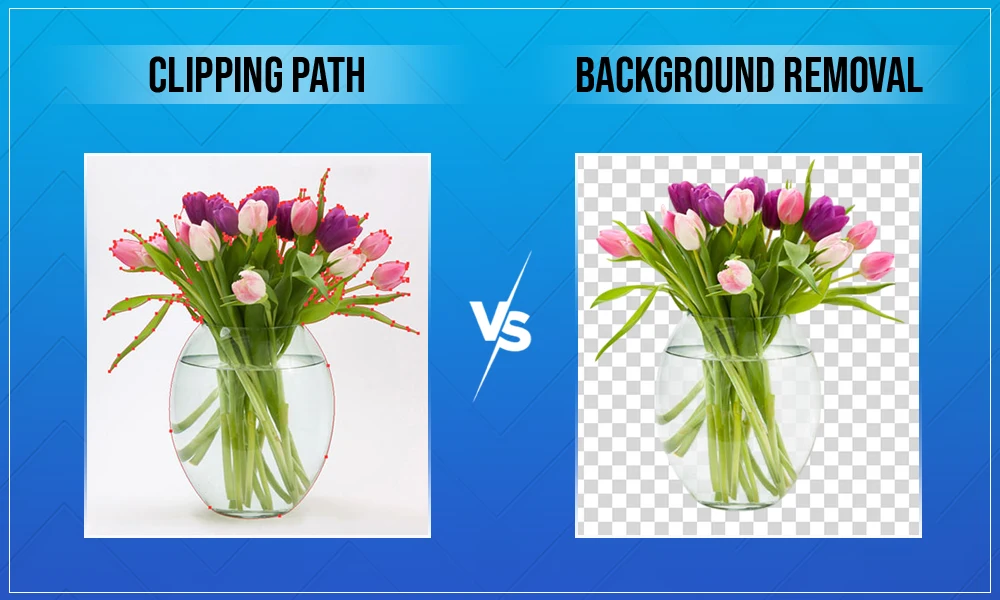
If the original image has a distracting or inconsistent background, professional editing services (like Visuals Clipping) can remove the background and replace it with a clean, neutral background while ensuring that realistic lighting and shadows exist.
Also read: How to remove background in Photoshop
Environmental Backgrounds: Adding Context and Personality
Subject’s presence in some form of an environmental background can be accomplished through the use of various natural working or lifestyle environments that can create a connection (i.e. story). Examples of Environmental Backgrounds are:
- Office Environment
- Creative Studio
- Workstation or Desk
- Outside in Nature
- In The City
Advantages of Environmental Backgrounds:
- Authenticity and Storytelling
- Showcases Profession or Industry
- Provides Natural, Relaxed Atmosphere
- Provides Interest to Headshot
Environmental backgrounds are great for:
- Entrepreneur
- Creative
- Artist
- Freelancer
- Personal Brand
Environmental background should always be a supporting element and enhance the subject, rather than take away from it, or dominate it.
Blurred Backgrounds for a Modern, Professional Look
Creating blurred / shallow depth-of-field (DOF) backgrounds will give your photo a more polished/professional look and feel.
Reasons blurred backgrounds work well:
- Reduce distracting elements from the image.
- Add depth/dimension to the image.
- Clearly highlight the subject of the image.
- Create a feel of being high-end and looking professional.
Blurred backgrounds can be very effective for:
- Corporate professionals
- LinkedIn headshots
- Creative portfolios
- Business websites
If your original image does not have an appropriate look of depth-of-field, you can easily replicate that natural appearance without giving an artificial look through a professional editing service.
Also read: AI vs manual photo editing
Matching Backgrounds that fits your Industry and Purpose
Your headshot is not only a picture of you, but also a visual representation of your standards in the industry, and your position in it. A background that works for a graphic designer might look unprofessional for a lawyer.
Here’s how to pick a background that matches your field:
- Corporate, Law & Finance: Trust & authority are a must. A darker neutral backdrop (like charcoal, navy or deep gray) or blurred library/office settings suggest stability and seriousness.
- Tech, Startups & Creative: Innovation & being approachable are what matter most. A bright white background, or a colorful gradient, or even a nice open-plan workspace (with good natural light) screams modern thinking & energy.
- Healthcare & Medical: Keeping things clean & caring is the priority. A nice stark white, a soft blue, or even a very blurry pic of a clinical setting is a good way to show hygiene and professionalism.
- Real Estate & Trades: The context really matters. A soft blurred home exterior or city view will look more believable to real estate agents, whereas a blurred workshop or job-site background will make tradespeople look more professional.
A Quick Tip: When switching careers (e.g. leaving Corporate and going Creative), changing your headshot background is one of the fastest ways to signal that transition to recruiters.
Final thoughts: Your Background Shouldn’t Steal the Spotlight
The background you choose for your headshots will impact greatly the professionalism and quality of your final photograph. A simple, neutral-colored background provides a very clean and timeless appearance; an outdoor or working environment-style photograph, or a photograph taken with blurred backgrounds, will give character and depth to your headshot. In all cases though, the most important consideration when selecting a background for your headshot is that the background complements the subject’s face without competing for the viewer’s attention.
By using the appropriate background selection and then enhancing with expert editing, you will be able to deliver a headshot that communicates effective professionalism, confidence, and identity both personally and professionally through photography.
What is the best background color for professional headshots?
Ans: Neutral colors such as white, gray, and beige are the best options. These colors keep the focus on the subject and create a clean, professional appearance suitable for corporate and LinkedIn profiles.
Can I use an outdoor background for headshots?
Ans: Yes, outdoor backgrounds can work well if they are simple and not distracting. Blurred natural environments or subtle urban settings can add personality while maintaining professionalism.
Should headshot backgrounds be blurred?
Ans: Blurred backgrounds are highly recommended because they reduce distractions and make the subject stand out. This creates a more polished and professional look.
Can headshot backgrounds be edited professionally?
Ans: Yes, professional editing can replace or improve backgrounds while maintaining realistic lighting and shadows. This is especially useful when the original background is distracting or inconsistent.