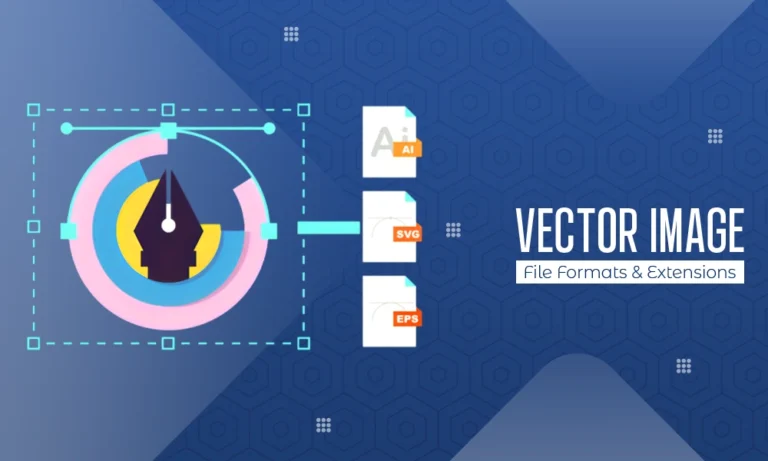
There are two main types of image files in the digital graphics world: raster (bitmap) and vector. Raster images, like JPEG or PNG, consist of a fixed grid of pixels; vector images, on the other hand, are created using mathematical equations to define lines, curves, shapes, and colors, making them a fundamental Type of Graphic Design asset.
Because of this structure, vector images can be scaled infinitely without any loss of quality, which is why they are widely used by graphic designers, branding experts, illustrators, typographers, engineers, and printers. In many professional workflows, Vector Conversion Services are also used to transform raster images into scalable vector formats for print and branding purposes.
The unique attributes of vector images make them ideal for logos, icons, CAD drawings, maps, and layouts where precision and scalability are essential. Different vector formats are designed for specific applications—from web design and digital printing to CAD software—so understanding these options helps designers and businesses choose the right vector image file format.
This article provides a detailed overview of vector-based image file formats and their extensions, explaining the role and function of each format within the creative process.
By learning how vector image file formats work, where they are commonly applied, and why they are important, you gain a strong foundation in their value and functionality in the modern digital design world.
Also Read: What is Graphic Design?
Scalable Vector Graphics (SVG) – .svg
SVG, or scalable vector graphics, is one of the most popular vector graphic formats available today. The W3C (World Wide Web Consortium) has developed an XML (Extensible Markup Language) format specifically for use on the web.
As SVG is based on text, both graphic design software and standard text editors can read and modify the contents of an SVG file. A major benefit of SVG is that images retain their clarity and sharpness at all sizes, regardless of whether the SVG image is viewed on a phone or a billboard.
SVG images are also interactive and can be animated using CSS (Cascading Style Sheets) and JavaScript, making them very useful for modern web designers. Furthermore, SVG images are typically lightweight and optimised, allowing them to improve the speed and performance of a website.
Many businesses use SVG to create logos, icons, illustrations, charts and other elements of a user interface. Its widespread support in browsers, along with its accessibility, has contributed to SVG being accepted as the standard vector format for web graphics.
Encapsulated PostScript (EPS) – .eps
Created in cooperation with Adobe Systems, Encapsulated PostScript (EPS) was one of the earliest established vector image formats using the PostScript programming language. It has become one of the most commonly used vector formats for digital imaging.
In addition to vector elements, EPS files can also include raster graphics; however, EPS files are primarily associated with professional printing. Due to their resolution-independence, EPS files are typically very high-quality print materials such as brochures, posters, banners, logos, etc.
Most professional design and desktop publishing software, including Adobe Illustrator, CorelDRAW, and InDesign, support EPS files; however, most modern web browsers do not have built-in support for EPS files.
Even though newer file formats like PDF and SVG are quickly replacing the EPS file format in popularity, EPS files remain a viable file format for printing and publishing due to their proven reliability and compatibility with older systems.
Adobe Illustrator Artwork (AI) – .ai
Adobe Illustrator’s native vector file format (AI) is an American computer program produced by Adobe Systems Incorporated, which has become the leading software for creating vector graphics worldwide. AI files contain all the information necessary to edit vector images, including paths, shapes, layers, text, gradients and various effects.
AI is a proprietary format that is intended to work with the entire Adobe Illustrator product line. Most other graphic design applications can import/open AI files; however, such applications generally do not provide complete editing capabilities outside of Adobe Illustrator. AI files are usually created during the design stage rather than intended to be the finished product.
Designers typically use AI files to create logos, branding materials, illustrations, and other complex vector artwork. Once the design is complete, designers typically export the finished AI files into formats (e.g. SVG, PDF and EPS) that are more widely used by businesses and/or individuals.
Portable Document Format (PDF) – .pdf
PDF is not only known primarily as a file format, but it is also one of the most powerful file formats using a system known as a vector-based PDF file. A vector-based PDF file is created by a software program known as Adobe Acrobat that will allow you to create your vector graphics, raster images, text fonts, and other interactive objects within the PDF file.
Due to this feature, PDF file formats are becoming one of the most widely used file formats for use on all devices and all operating systems. PDF files are an excellent choice for any printing task because of the high-quality graphics that can be stored in a PDF file format.
Because there are no limitations to the resolution of vector-based PDF files when printed, PDF files are commonly used when creating print-ready graphic files that are submitted to a printing company for reproduction. You do not need any special software programs to view a PDF file format; therefore, you can easily view PDF files without having any prior knowledge about graphic design software.
You can share the final version of your vector file with your clients, printers, or anyone else without needing any additional software. You can also edit any PDF file format; however, the PDF file format is viewed as a final product and not a working graphics file.
CorelDRAW File (CDR) – .cdr
CorelDRAW (CDR) is an important graphic design program that is used extensively in the signage, engraving, and printing industries. Like Adobe Illustrator (AI), the CDR file format stores full Vector Data as editable files, including layers, effects, text, and object properties.
CorelDRAW (CDR) files should be used primarily within the CorelDRAW program since support for other types of programs is either limited or necessitates conversion of the files. The CDR file type is especially well known in the vinyl cutting, laser engraving, and wide format printing industries.
Although CDR is not widely used for web and cross-platform sharing, it is a very powerful and useful file type for professionals who primarily work in CorelDRAW (CDR).
Drawing Exchange Format (DXF) – .dxf
Autodesk created the DXF file format, or Autocad’s Drawing Exchange Format, for use as a means of data exchange between Autocad and other applications. DXF is a very popular file type within computer-aided design (CAD) and engineering processes.
DXF files contain information about two-dimensional geometric shapes, e.g., collections of points, lines, arcs, circles and polygons, which may be drawn in two dimensions only. The DXF specification requires the data contained in DXF files to represent geometrically accurate representations of objects and is of great importance for architectural, mechanical and manufacturing workflows.
The DXF format is supported by numerous vector design and CAD applications, which is why it’s widely accepted. DXF files should not be interpreted as artistic or web graphics; however, due to the accuracy needed in technical and industrial applications, they are used extensively.
AutoCAD Drawing (DWG) – .dwg
The DWG format is developed by Autodesk, and it is AutoCAD’s native format. The DWG format is a popular vector file format used by many in the architecture, engineering and construction industry. DWG files include a wide range of vector-based data; there is a lot of detail in these files as they are used for creating both 2D and 3D designs, along with accompanying metadata and layout information.
The DWG format is more efficient when compared to DXF files, but the original DWG file format is less open than DXF file types; therefore, to view and/or edit the original DWG file format, you will most likely need to use specialised software.
DWG files are vital resources for anyone who works with technical drawing, blueprints, and designing and developing infrastructure projects due to the complexity of the vector data and the precision that is required in these drawings.
Windows Metafile (WMF) – .wmf
WMF (Windows Metafile) is a vector image file format created by Microsoft and widely used by many Windows applications. WMF files can be both vector image files and raster image files.
WMF files were originally designed to work with Microsoft’s Office Suite of applications, including Word, Excel and PowerPoint. Although WMF files are no longer commonly used because newer formats, such as EMF (Enhanced Meta File), have since replaced them, many old WMF files still exist today.
Enhanced Metafile (EMF) – .emf
Enhanced Metafile (EMF) is built upon the limitations of Windows Metafile (WMF). EMF provides more features and capabilities than WMF, and is a more precise format than WMF. EMF files can be viewed and created by modern versions of Windows, and EMF files are capable of advanced vector graphics and colour management.
Like WMF, EMF is popular within Microsoft Office applications and in other applications designed for Windows operating systems. EMF files are particularly useful when printing vector graphics from Windows applications, because they provide a high level of clarity and can be scaled up or down.
While EMF does not have a lot of use outside of the Windows ecosystem, EMF is useful for creating internal documents and graphics generated by automated systems.
Computer Graphics Metafile (CGM) – .cgm
CGM (Computer Graphics Metafile) is an ISO standard format for vector graphics files. It enables users to exchange graphics files between different operating systems and platforms, in many cases within the technical and industrial fields.
CGM files include vector-based graphics, raster images, and text. Most frequently, CGM is utilised within the aerospace industry, engineering, and technical documents, emphasising accuracy, portability, and consistency.
While CGMs are not as frequently found in contemporary graphical design work, they are prevalent in specialised technical and scientific usages.
Frequently Asked Questions
Q1. What is a vector image format?
Ans: A vector image format relies on mathematical paths for creating an image, rather than using pixels. This means that all vector images can be resized to any size and still retain their clear details when viewed.
Q2. Why are vector images better for logos?
Ans: Logos should always be created in vector format because no matter how large or small the logo is viewed, it will always remain clear and crisp when viewed on screen, printed on materials, and displayed on large boards.
Q3. Which vector format is best for websites?
Ans: The preferred vector format for websites is SVG format. SVG has a very small file size, allows endless scaling and editing, and is compatible with all recent versions of web browsers.
Q4. Are PDF files considered vector formats?
Ans: PDF files can contain text, graphics, and images in a vector format. Therefore, PDF files are an ideal option for creating scalable designs for printing.
Q5. Can vector files be converted into raster images?
Ans: It is possible to convert vector files to raster formats such as PNG and JPEG without losing image quality during export.
Conclusion
Vector-based image file formats are crucial for digital design, professional printing, and technical illustration due to their ability to scale infinitely without quality loss and maintain precision. Common formats include SVG (Scalable Vector Graphics) for web use and EPS (Encapsulated PostScript) for high-quality print publications. Designers, developers, engineers, and businesses must understand the differences between these formats to select the right one for their needs, whether creating logos, blueprints, or print ads. Choosing the appropriate vector format is vital for quality, compatibility, and usability. As technology advances, these formats will evolve while preserving their key benefits, particularly infinite scalability without loss of quality.