Video is king in every platform from Instagram Reels to TikTok to YouTube Shorts, and now Amazon A+ listings are seeing a heavy reliance on video content as well. When it comes to product demonstration videos, statistics show that they can help increase conversion rates by 80%.
As such, video editing should be a skill anyone starting their own business should develop and build on because the way you use video will greatly affect how you connect with your audience, tell your stories, and make money. If you’re a creator or business owner, mastering video editing and the fundamentals of camera techniques will allow you to create high-quality content from everyday footage.
Also Read: Parts of Camera
Choosing the Right Video Editing Software as a Beginner
The first step in your video editing journey is to pick which software you’ll use. As a newcomer to video editing, you don’t need to go with the most advanced piece of software available; however, you will want to go with something that is relatively easy for you to learn; one that can help you learn about timelines, cuts, & etc.
Free Options: CapCut, DaVinci Resolve, iMovie
For beginners there is such a variety of free options available, that give you a range of uses based on what type of user you are (device) and your purpose.
- CapCut: A mobile-first app (for Reels and TikTok) that is very easy to use, has many templates and effects pre-installed, thus making it great for producing quick edits for social media.
- DaVinci Resolve: A free professional video editing software that is used on desktop computers. Because it is so powerful, it is time-intensive to learn, but worth it in the long run.
- iMovie: The only option for those using macs. iMovie is designed for those new to video editing software. Simple timeline and great for making basic cuts, adding transitions, and doing audio edits.
Also Read: Best Raster Graphics Software tools
Paid Options: Adobe Premiere Pro, Final Cut Pro
Professional or large-scale projects tend to be conducted using paid tools because these provide greater flexibility and control than free alternatives do. However, paid tools require more time to learn and may not be required for initial project development.
Adobe Premiere Pro
- Industry-standard editing software
- Ideal suitability for creators working on multiple platforms and teams
- Complex yet highly customizable
Final Cut Pro
- Mac-only program that can be purchased once to create multiple copies of it
- Fast rendering and optimally performing applications
- Widely used by YouTube users
Mobile vs Desktop Editing: What Should Beginners Use?
How you will edit content will depend on the type of content you want to produce. Desktop and mobile have their pros and cons; therefore, your choice should be based on practicality instead of technicality.
Mobile Editing:
- Ideal for short form (e.g. Reels, TikTok)
- Quick, easy and good for beginners
- Very limited functionality but fast
Desktop Editing:
- Best suited for long form or product-based videos
- More control over sound, layers and color
- Best for creating professional standard output
10 Essential Video Editing Tips Every Beginner Needs to Know
The key to successful editing is focusing on the clarity of your story, not on using special effects. The following tips will help you become a better editor quickly by concentrating on what really counts in video editing, which are pacing, structure, and the experience of the viewer.
Tip 1: Always Start with an Organised File Structure
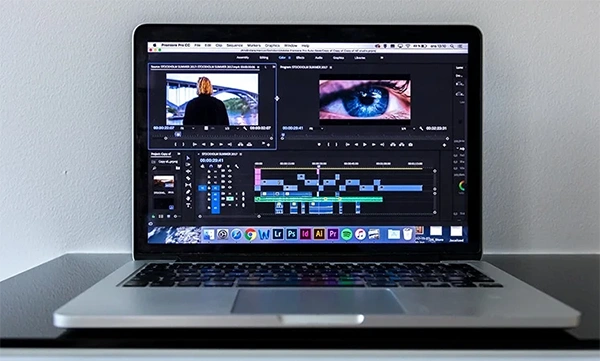
The first thing to do prior to launching your editing program is to have a file structure in place. Having a clean file organization system will reduce the amount of time spent editing and decrease the chances of making a mistake while editing.
Some examples for file folder names include: Raw Footage, Audio, B Roll, and Exports.
Always use the same naming convention for files, and as such, keep everything organized BEFORE beginning to edit, especially when working with more than one video and multiple versions/edits continuously.
Tip 2: Cut on Action, Not on Stillness
Edits made during movement appear smooth; those made to a memory or stationary shot do not. This helps maintain flow within the scene, keeping it engaging for viewers.
For instance:
- When a subject is moving, such as walking, turning, or picking something up. Avoid cutting when an object/subject is still.
- When you cut while a subject is moving, you can hide the transition, making the edit more seamless.
- Viewers are likely to notice bad cuts, therefore, are able to recognize the difference between good and bad cuts.
Tip 3: Use B-roll Footage to Use B-Roll to Enhance Storytelling
Using B-roll will bring more exciting visuals into your video while supporting your main video footage through storytelling. Showing products in different ways (like up close, in use, or in their packaging, if selling online) helps add B-roll footage for hiding jump cuts and providing context/professionalism. Good-quality B-roll can enhance any simple video immediately.
Tip 4: Fix Audio Before You Fix Video
The quality of sound is significantly more important than the quality of video. Viewers will turn off a video with great video quality if the audio is poor.
- Reduce background noise
- Maintain a constant volume level
- Make dialogue clear and understandable
When editing video, focus on fixing audio first before moving onto fixing video.
Tip 5: Use Color Grading to Create a Consistent Look
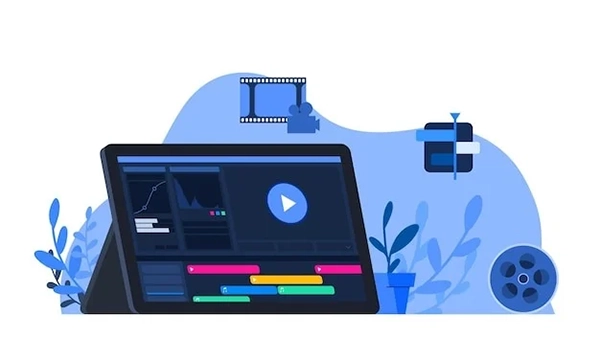
Color grading will give your videos a professional and consistent look for all clips throughout the entire project. You do not need any advanced skill level to make your visuals better.
- You can quickly achieve great-looking results by using LUTs.
- You can adjust brightness, contrast, and saturation.
- You want to keep natural color, and not over-edit or over-process your footage.
- You can create professionalism with subtle adjustments to your footage using color grading.
Tip 6: Trim Aggressively to Improve Pacing
New filmmakers typically have many tons of recorded footage because they do not delete anything. Good edits include removing any unusable content.
- Like long pauses and filler words.
- Any unusable things must also get eliminated.
- Your video will need to stay concise and interesting. Videos that are shorter and faster will obtain superior views on the internet.
Tip 7: Keep Transitions Minimal and Intentional
The presence of excessive transitions could result in a lower standard of professionalism. When it comes to video, simple solutions will always produce superior results.
- When cutting, keep your clips nice and tight, and use fades very infrequently.
- When you use transitions, only use them when necessary, as opposed to utilizing more flashy, extraneous transition effects such as spinning or zooming.
- A clean edit is more visually appealing than one that appears to have been edited with an abundance of effects.
Tip 8: Export the Right Format for Each Platform
The export settings you use will directly affect how your video appears on each platform; incorrect settings will result in poor quality video.
- YouTube: 16:9 aspect ratio, either 1080p or 4K Resolution
- Instagram Reels / Tik Tok: 9:16 aspect ratio, 1080×1920 Resolution
- Amazon: High quality MP4 Video, typically 1080p Resolution
Make sure to follow the platform requirements whenever possible.
Also Read: Amazon Product Image Guidelines
Tip 9: Add Captions and Subtitles
Individuals often view video clips silently, primarily through social media sites and platforms, having captions available enhances accessibility but also provides opportunity to connect with viewers.
- Add captioning for spoken words
- If necessary highlight key phrases
- Encourages audience retention from those viewing silently
- Captioning can greatly increase watch time of video clips.
Tip 10: Build a Template for Consistent Brand Videos
Marketing templates are an effective way for brands and businesses to save time and ensure consistency when creating videos.
- Develop a recurring intro/outro
- Use the same font, color, and style every time
- Utilize the same layout and design to edit videos more quickly
This helps businesses develop an established brand identity.
Beginner Video Editing Mistakes to Avoid
Mistakes, regardless of how large or small, can result in a video appearing unprofessional & therefore it is crucial to detect and fix those mistakes early on before they are even detected/seen by anyone.
New editors are typically over-edited but most likely due to simplicity and not necessarily what they would expect would yield better results. Clean cuts, correct volume levels, and correct/video format all typically yield the most significant improvements in video quality.
Over-using Transitions and Effects
Too much effect can take away from your content and make your videos appear childish.
- Problem: Messy and unprofessional looking videos.
- Solution: Keep your cuts basic and have few transitioning effects.
Ignoring Audio Quality
The quickest way to lose a viewer is through terrible audio..
- Problem: Viewers leave because they cannot hear well enough to understand what is being said in the video.
- Solution: Reduce background noise and equalise the volume of your Audios.
When Should You Outsource Your Video Editing?
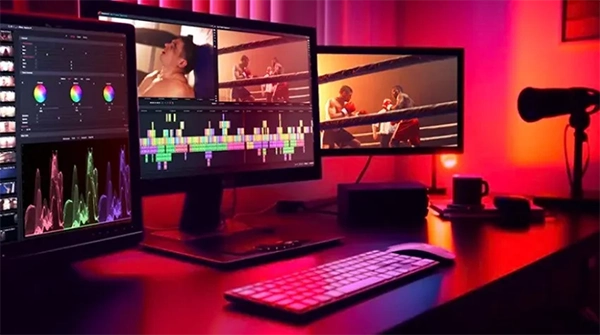
For most business owners, consistently practicing necessary skills like video editing requires massive amounts of time as well as patience and practice. When completed in vast quantities, detailed edits for product images can slow your operations dramatically if you invest the time to edit them yourself.
You may be better off spending that time doing core functions of your business instead. By outsourcing to a service like Visuals Clipping’s video editing, you will be able to have your videos cut and edited from basic types of cuts to special enhancements for particular platforms and be delivered with a professional quality result each time.
Thus, when your organization needs more and more video content produced consistently, the result of your use of outsourcing will be a very scalable solution for producing more videos while saving money.
Frequently Asked Questions
What is the best free video editing software for beginners?
Ans: CapCut is best for mobile editing and quick social content, while DaVinci Resolve is ideal for desktop users wanting professional features for free.
How long does it take to learn video editing?
Ans: Basic editing can be learned in a few days, but becoming proficient typically takes a few months of consistent practice and real projects.
What format should I export videos for Instagram and TikTok?
Ans: Use vertical format (9:16) with 1080×1920 resolution and export in MP4 for best compatibility and quality on both platforms.
Can I edit videos on my phone?
Ans: Yes, mobile apps like CapCut make it easy to edit videos directly on your phone, especially for short-form social media content.