When a client comes or connects with you for photo restoration. It’s important to know that the client needs you, and you should treat it as an important thing as well.
Professional photo restoration does more than just fix a picture; it rescues a piece of history.
You may know about the photo, but for the client it might mean a lot.
Treating this job as more high-value and knowing your client will help you grow a lot, too
Read here to learn how to do that.
Your Clients Already Have Old Photos
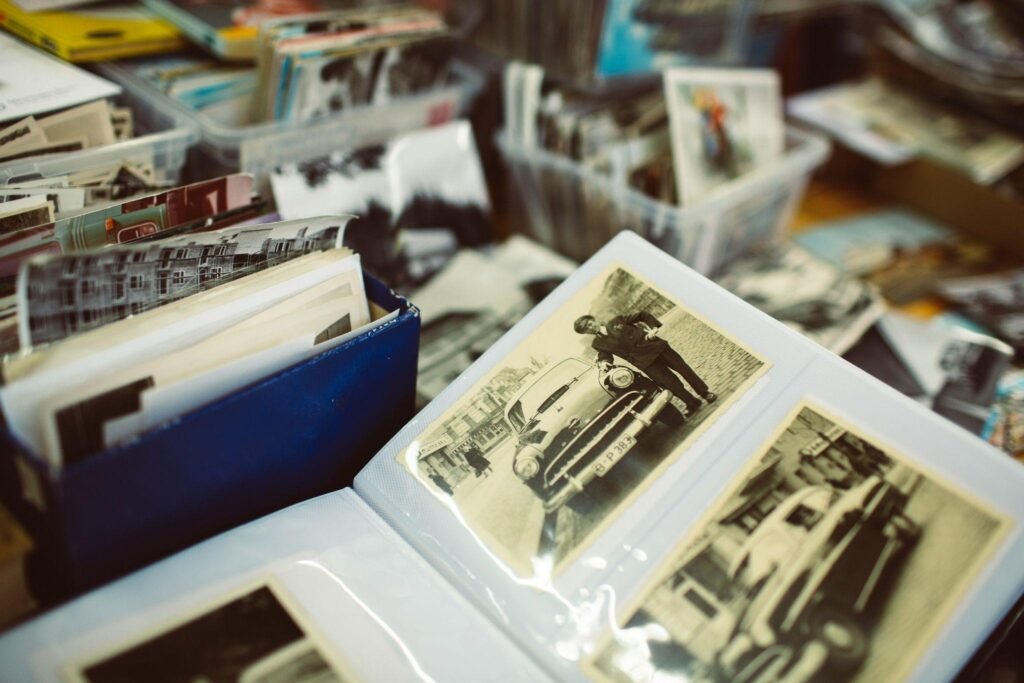
You don’t need new clients for this. What most photographers and editors overlook is that you already have them. Every single person on your client list has a box somewhere — a drawer, a closet shelf, an attic bin — full of old photos. A baby picture with a crease right through the middle. Grandpa’s army photo that’s been folded in a wallet for forty years. Wedding shots have gone yellow.
Nobody thinks to ask about fixing these. Until you bring it up. Then something shifts. I’ve seen this happen more times than I can count — mention restoration once, almost in passing, and suddenly a client is pulling out their phone to show you a photo of their mom as a kid.
Why Clients Pay More for Restoration
There’s no “let me think about it” moment. The restoration process touches something people care about way more than they care about a clean Instagram post. This isn’t like editing a regular photo shoot.
Think about what’s actually in these photos. A grandparent who’s gone now. A house that got torn down. A version of a parent nobody in the family ever met. You can’t put a normal price tag on that, and honestly, clients don’t try to. They’re not comparing your rate to five other quotes. They’re thinking about what happens if that photo stays damaged forever.
There’s also the skill factor. Anyone can slap a filter on a photo. Rebuilding a missing corner or matching faded color back to what it probably looked like — that takes an actual eye and patience. Clients can tell the difference, even if they can’t explain why. So they don’t blink at paying more for it.
Package It as a “Legacy Project”
That’s leaving money on the table, and honestly, it undersells what you’re offering. Don’t sell one photo at a time.
Try something closer to “Do you have more like this at home?” Instead of “I can fix this for you,” Almost everyone does. One photo turns into a stack of five. Five turns into a whole shoebox once they start digging.
A few ways to frame it as a bigger project:
- a small bundle for a family album
- a full restoration set for someone’s 80th birthday or a parents’ anniversary
- a “memory box” package — scan everything, clean up the worst damage, and hand it back as a finished set
Why does this work? Because this is worth a lot more than a single JPEG, and clients feel it. You’re not selling image edits anymore. You’re selling a family’s history, put back together.
Tools Make It Easy to Start
The software has gotten good enough to carry a lot of the weight for you. You might assume you need years of training before touching restoration work. You don’t, not really.
PhotoGlory is one worth looking at. It’s built specifically for this kind of job — pulling out scratches, sharpening shots that have gone soft with age, patching torn edges, bringing faded color back. Nothing about it feels overly technical. You open the photo, pick the tool that matches the damage, and adjust until it looks right.
A lot of editors already call it the best photo restoration software for exactly this reason — it doesn’t force you to relearn everything from scratch. There are presets built around the common problems old photos actually have, so you’re not guessing your way through every single fix. If you’re new to this kind of work, PhotoGlory is a reasonable place to start, and you can build real skill from there.
A Simple Workflow: From Client to Delivery
. A basic process works fine. You don’t need anything fancy here
- Get the photos from the client — prints, scans, whatever they have. Offer to scan them or walk them through doing it at home. If it’s only prints
- Some need a light touch. Others are going to eat up to an hour each. Knowing this upfront helps you plan. Sort by how bad the damage is.
- Fix the physical damage first. Don’t rush this part; it’s where most of the value sits. Scratches, tears, fading. Then move on to color and sharpness.
- Step away, then come back with fresh eyes before calling it done. You’d be surprised what you miss after staring at the same photo for twenty minutes straight.
- Deliver a few formats — a high-res digital file at minimum, plus a print-ready version if they want one. Some clients like walking away with a printed copy that day, so it’s worth asking early.
That’s really it. Clients don’t care about your process. They care about what they get back.
Marketing It Without Chasing New Audiences
You need to remind the people who already trust you that this is something you do. You don’t need ads. You don’t need a new niche
Post before-and-afters: faded photos on one side, clean and sharp on the other. People stop scrolling for that. These do well because there’s a real “wow” moment built in — damaged
If you’re already shooting a family session, bring it up during other work. Just mention it. Something like, “By the way, I also fix up old family photos if you’ve got any lying around.” Low pressure, plant the seed.
A short email works too. One good example photo, a couple of lines, nothing salesy. Long pitches get ignored; quick ones get read.
And if someone’s on the fence, a small discount for their first restoration usually does the trick. Once they see the result, they almost always come back — often with the rest of the box.
It Pays Off Twice
This service earns you money twice over. Once directly from work, you can start offering tomorrow with clients you already have. And again in trust — when you bring back a photo someone thought was gone for good, they don’t forget that. They mention it to their family. They come back for other work down the line.
Decent software, a workflow you can repeat, and a little outreach to people who already know you. You don’t need a big investment to get going. That’s the whole formula. The old photos are already out there, sitting in drawers, waiting. Might as well be you who brings them back.
Frequently Asked Questions
1-What is Photo Restoration?
Photo restoration is an artistic process that is used to fix or restore old or damaged photographs. It uses digital restoration tools to create digital versions of the images by improving the quality of the images.
2-How does photo restoration work?
First, scan the old photos that need to be stored digitally. Scanning the pictures at 600 DPI or higher is ideal. Once the photos are on the computer, we need to look at the color cast, which often becomes distorted because of aging and the scanning process. Another important restoration technique is restoring the dynamic range and the contrast range. Curves and levels tools in Photoshop are great too.
3-What are the best reasons to outsource Photo Restoration services?
Stress-free restoration procedure, Trustworthiness, first-class service, cost-effectiveness, and Quick turnaround time. etc.