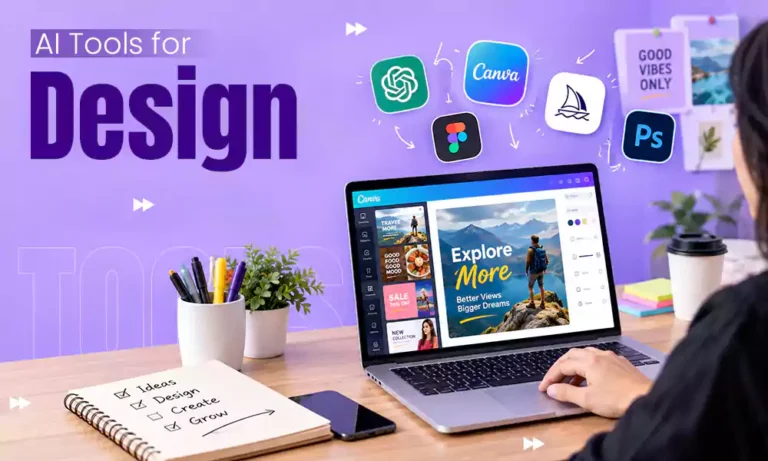

A marketing campaign becomes successful, influenced by many factors, from timing and captions to images and overall visual quality. If the visuals are attractive and there is no communication value, a great product also struggles. If you are thinking about hiring a professional designer, it can be costly.
Now, there are many AI-powered design platforms that can help strengthen your brand image and create high-quality marketing visuals; you just need to find the right tool for your workflow. Selecting an AI design tool for marketing content creation is just the start. To get consistent results, you also need a workflow. Read on to learn how to achieve it effectively.
Step 1: Invest Time in Choosing the Right AI Design Tool for Marketing Content
With the number of AI-powered design tools available, it’s essential not to pick the first one right away. Investing time in researching apps is important because it helps you choose a tool based on your creative needs instead of its popularity. Many beginners start with free AI tools for graphic design to explore various workflows before deciding whether premium features are worth the investment.
Begin by defining your primary use case before selecting a platform. Analyze where your audience spends the most time and which content formats you publish periodically. These can be:
- Social media content
- Email campaigns
- Digital ads
- Product pages
- Website banners
- Other branded marketing assets
Both beginners and experienced marketers can gain from templates, drag-and-drop editing, and AI-assisted resizing. When comparing AI design tools, also check their commercial licensing terms, particularly if you plan to use AI-generated visuals in advertisements, client work, or branded marketing materials. The DepositPhotos AI Assistant is one example of a tool that combines stock image search, commercial image, photo generation, and editing features, allowing users to remove or extend backgrounds, erase objects, and resize the complete composition.
Step 2: Use AI tools for Logo Design and Brand Identity
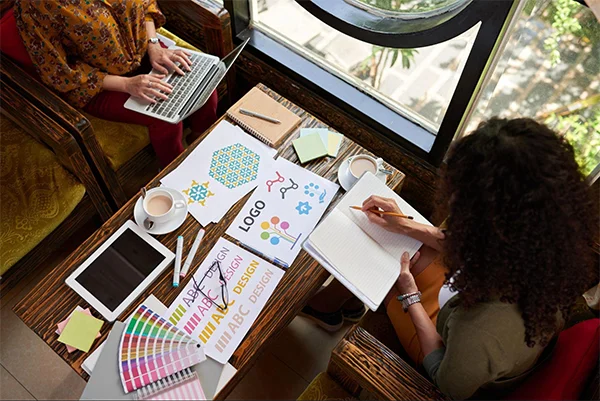
A logo takes up little space on the visual, but it is an effective element that makes marketing materials more impactful and your brand more recognizable. However, a solid brand identity goes beyond a logo. Consistent colors, typography, imagery, and design style all work together to make a cohesive visual experience across every customer touchpoint. A dedicated AI tool for branding can help manage that consistency by generating logo concepts that align with your favoured visual style and supporting the development of other brand assets.
If you’re creating a logo from scratch, define the following before generating one:
- Audience
- Brand personality
- Industry
- Values
Once you’ve established these foundations, use them regularly across your visual identity. Many AI design tools let you save brand colors, fonts, logos, and style preferences, creating it easier to produce social media graphics, presentations, ads, and other marketing materials that feel cohesive regardless of the format.
Rather than searching for the best AI tool for logo design and branding, focus on finding a platform that supports your creative process. Create multiple concepts to create a logo that feels distinctive, strong, and memorable. Most importantly, don’t depend on AI alone. AI can accelerate ideation and production, but your judgment remains essential when evaluating and refining creative outcomes.
Step 3: Write Detailed Prompts for More Accurate Designs
Prompting is an integral part of efficient marketing workflows. When creating prompt-based designs for your marketing assets, remember that your requests must be structured and include a few crucial elements. For instance:
- Purpose
- Audience
- Design type
- Visual style
- Colors
- Mood
- Composition
Also, keep in mind that AI models usually give more weight to earlier instructions in a prompt. A simple yet efficient prompt would look like this: “Create an image promoting an eco-friendly skincare brand for women using soft green tones, minimalist layout, with room for a headline.”
FAQ: What is the Best AI Tool for Prompt-Based Graphic Design?
Beginners usually benefit from free AI tools for graphic design with templates and guided editing, while experienced designers may prefer customization and collaboration features. Whether you want marketing graphics, logo concepts, presentation designs, social media visuals, or tools for editing existing visuals, ensure you define your use case. The perfect choice depends on ease of use, template library, editing flexibility, output quality, collaboration features, and licensing.
Step 4: Review and Refine the AI-driven Output
One of the biggest advantages of AI design tools for marketing and branding is the ability to iterate quickly. Prompting is an iterative process, so treat the first AI-generated design as a starting point rather than a finished asset. You can refine, add constraints, remove unnecessary elements, and generate variations, among other improvements. This is arguably more important than writing the first prompt perfectly.
Once you’ve refined the prompt and generated several versions, evaluate the output before publishing. Check its:
- Colors
- Color contrast for readability
- Consistency with your brand palette
- Images
- Distorted hands or faces (if applicable)
- Inconsistent lighting
- Unrealistic details
- Layout
- Balance
- Whitespace
- Cropping
- Marketing relevance
- Space for a CTA
- Headline visibility
- Focal point
Also, use font sizes that remain legible on mobile devices, and avoid placing text over busy backgrounds. Refinement can improve AI content performance and ensure your assets are appropriate for their intended use, whether social media, websites, presentations, or print materials.
Step 5: Create Reusable Design Templates
If you want to improve long-term marketing consistency, designing reusable design templates can help you accomplish that while also reducing production time. You can create, store, and apply visual templates that cover your logos, fonts, colors, or styles on platforms like VistaCreate (the Brand Kit feature). These templates make it simpler to customize layouts for posts, stories, graphics, blog feature images, thumbnails, newsletters, promotional banners, and other formats.
Reusable systems are an excellent way to standardize design creation and maintain quality at scale, capturing your preferred style, frames, and overall composition. When choosing an AI tool for marketing and e-commerce branding consistency, look for one that supports you in applying the same visual standards across every customer touchpoint.
Recap
AI removes repetitive design tasks, but you are still responsible for strategy, branding, and quality. Consistent results come from doing a repeatable workflow. That means writing better prompts, refining outputs, creating reusable assets, and analyzing performance. AI-powered design tools won’t replace sound marketing strategy, but they can actually accelerate execution. Therefore, consider integrating them into your workflow to get better performance and online recognition.
FAQs
Q1. Which AI tool is best for creating visuals?
Ans: The best AI tools for creating visuals are Midjourney and Canva.
Q2. What are the top 3 AI tools?
Ans: The top 3 AI tools are ChatGPT, Claude, and Perplexity.
Q3. What are the top 5 AI marketing tools?
Ans: The top 5 AI marketing tools are Jasper, HubSpot AI, Surfer SEO, Canva Magic Studio, and ChatGPT.