Creative teams tend to overlook how rapidly visual assets can fill their cloud storage space. A single shoot may result in hundreds of RAW images, and each product listing needs several cropped versions of it. In addition, designers develop new vector graphics for each campaign.
Soon enough, the storage gets filled, the expenses increase, and locating the most recent approved asset becomes a difficult task. Increasing the size of the storage may provide a temporary solution to the problem, but it won’t solve it.
The better option would be to analyze the process of creating, accessing, updating, and archiving various assets. Using the appropriate storage strategy will allow controlling the expenses and protecting the assets from any damage.

Why Graphic Assets Need Different Rules
Photos, clipped pictures, and vector illustrations have very different characteristics. Storing them the same way wastes money and slows people down.
- RAW source files are large, rarely changed, and essential for future edits
- Clipped images with transparency are edited often and used daily across channels
- Vector graphics are small but critical, with many versions tied to brand rules
An effective approach to storage begins with understanding these differences. That is the foundation of cloud storage optimization for any team that manages visual content at scale.
Many studios formalize these rules through custom software development, building workflows that match how their teams actually work. SoftDoes solution architect said, “Storage costs rarely come from one big mistake. They come from thousands of small files that nobody owns, and software should make ownership automatic.”
Guidelines for Each Asset Type
RAW Source Files
RAW photo storage should be both secure and economical. These files are the original record of a shoot. They are rarely opened after initial selection and editing.
- Keep RAW files in a standard tier only during active post-production
- Move them to an infrequent access or archive tier once edits are approved
- Store edit instructions in sidecar files so originals stay untouched
- Preserve camera metadata, shoot details, and usage rights alongside each file
Clipped Images With Transparency
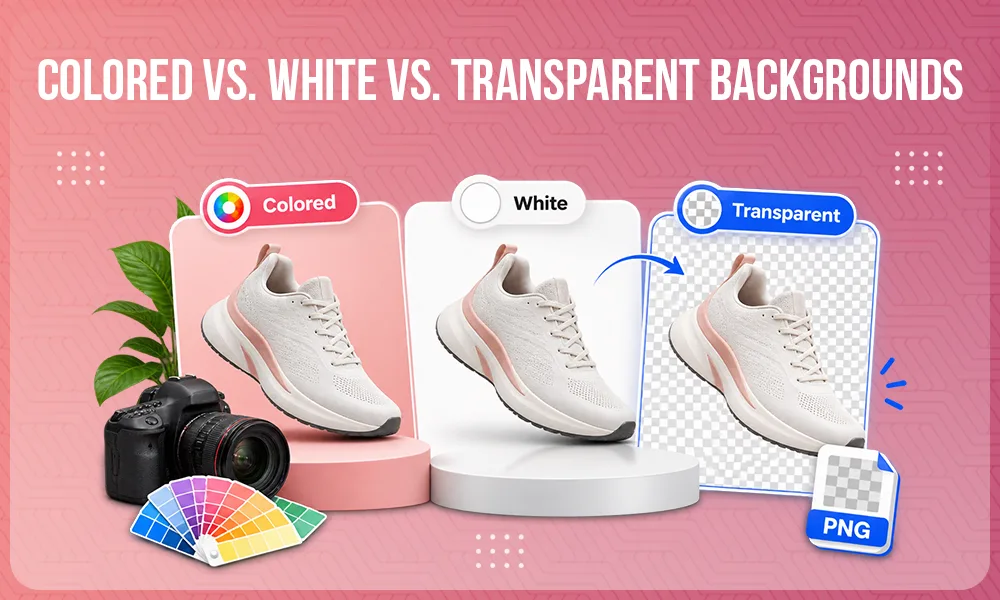
Images cut out using PNG, TIFF, and layer format serve as the working assets in ecommerce. Marketplaces, websites, and ad platforms all depend on them.
- Keep approved masters in a fast, frequently accessed tier
- Store layered working files separately from flattened delivery versions
- Name files consistently by product, angle, and background type
- Record which channels use each version, so outdated files can be retired safely
Vector Graphics
SVG, AI, or EPS logos and illustrations are tiny, but mistakes in them can affect brand consistency.
- Maintain one approved master per asset, with locked permissions
- Track every revision with clear notes about what changed
- Separate source files from exported versions for web and print
- Tag files with brand, campaign, and expiration details where relevant
Version History and Metadata
A version history prevents teams from accidental overwriting. It also grows quietly and expensively. Set retention rules for each asset type. A RAW file may need only its original and final states. A logo may need its complete history for legal and brand reasons.
Metadata converts storage into a searchable library. Strong digital asset management depends on consistent fields such as product identifiers, photographer, usage rights, approval status, and channel. Without them, people recreate assets they cannot find, and storage keeps growing.
Storage Classes and Image Lifecycle Management
Cloud service providers provide different classes of storage ranging from fast storage to cheaper archiving. Good image lifecycle management moves assets between these tiers automatically.
A typical lifecycle might look like this:
- Active: files under edit or in current campaigns stay in standard storage
- Reference: approved assets used occasionally move to infrequent access storage
- Archive: completed shoots and retired campaigns move to deep archive storage
- Deletion: duplicates and expired drafts are removed under documented rules
Archival levels may appear economical, but access could be time-consuming and expensive. Keep anything your team might need quickly out of the deepest tiers.
Managing Duplicates
Duplicates are all around us. Designers download local copies, marketplaces require resized versions, and agencies upload the same files twice. Hash-based duplicate detection identifies identical files regardless of their names. Near duplicates, such as slightly different crops, require human review. Removing true duplicates is often one of the quickest ways to reduce storage costs.
Caching Derivative Files
Thumbnails, previews, and channel-specific sizes are derivative files. They can normally be produced from authorized masters. Instead of storing every variation permanently, cache frequently requested derivatives and regenerate the rest on demand. A content delivery network can serve popular versions quickly. This approach reduces both storage volume and repeated processing.
Recovery Testing
Backups are useful if they function. Test the restore process regularly for each type of asset. Confirm that RAW files open correctly, transparency survives, and vector files keep their layers. Measure how long restores take, especially from archive tiers. Entrepreneur guidance on why businesses must regularly test their backup recovery systems reinforces that untested backups create false confidence.
Accounting for Hidden Costs
The storage cost per gigabyte is not the only factor in your invoice. Teams should also plan for:
- API requests, since frequent listing, reading, and writing small files adds up
- Data transfer, especially when assets move between regions, tools, or partners
- Archive retrieval, which often carries both access fees and minimum storage periods
Analysis of what cloud providers often leave unsaid about storage and transfer costs on Forbes shows why teams should design storage carefully from the start. Improvising storage will not become less expensive just by switching to the cloud.
How Custom Asset Management Software Helps
Policies in writing rarely last through hectic deadlines. Specialized software can apply the policy automatically. It can tag uploads, move files between tiers, flag duplicates, and block deletion of approved masters. It can also batch API calls, limit unnecessary transfers, and warn users before costly archive retrievals.
How to Choose the Right Development Partner
Assess Past Case Studies and Experience
Find partners that have expertise in areas like asset management, media processing, or ecommerce content management. Ask how they handled large RAW libraries, transparency workflows, and archive retrieval costs.
Evaluate Tech Stack Alignment
Your solution must work with your cloud provider, editing tools, ecommerce platforms, and content delivery network. Confirm the vendor’s experience with these systems and their approach to scaling.
Establish Communication Protocols
Agree on sprint cadence, reporting format, and decision-makers early. Include photographers, retouchers, and e-commerce managers in demos so rules reflect real workflows.
Ensure Cost and Process Transparency
Request phased estimates with clear assumptions. Ask how the solution will affect ongoing cloud costs, not just development fees.
Plan for Maintenance After Launch
Storage pricing changes, file formats evolve, and asset volumes grow. Define support response times, monitoring responsibilities, and regular reviews of lifecycle rules.
Store Smarter, Not Just More
Visual assets are some of the most valuable possessions of a creative agency or e-commerce company. Treating RAW files, clipped images, and vector graphics according to their roles keeps them safe, searchable, and affordable. Clear lifecycle rules, disciplined version history, and regular recovery tests prevent storage from quietly becoming a budget problem. With the right asset management software and a capable development partner, these rules become everyday habits rather than forgotten policies.
FAQs
Q1. What does cloud storage optimization mean in relation to visuals?
Ans: Cloud storage optimization refers to the efficient organization, storage, and management of visual assets in such a way that the cost would be minimized. This is done by proper use of tiered storage, elimination of duplicates, and file retention policy settings.
Q2. How can creative teams minimize their cloud storage costs?
Ans: Creative teams can save on cloud storage by getting rid of duplicates, archiving old assets, caching derivatives, and removing unused drafts from their storage system.
Q3. What is Image Lifecycle Management?
Ans: It is the movement of images through various storage locations according to their usage needs. An image can move through active storage to infrequent access storage, archived storage, and finally deletion.
Q4. How can metadata benefit digital asset management?
Ans:Metadata makes files searchable, sortable, and easily manageable. Product IDs, name of the photographer, permissions, and other information like approval status and campaigns make it possible for a team to find the right files.