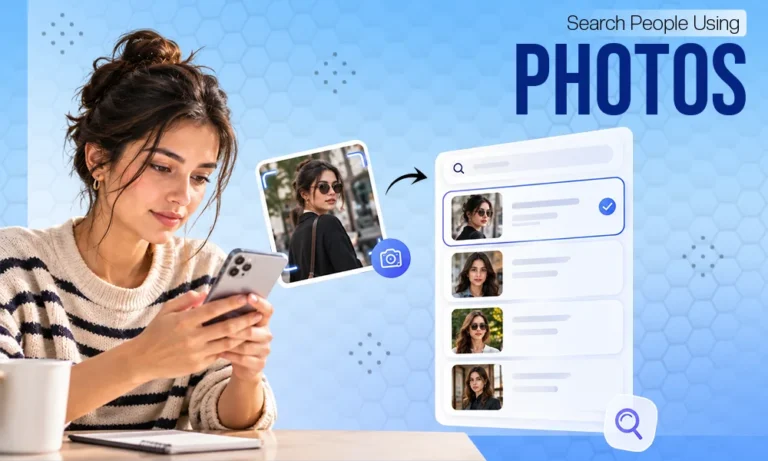
It’s common to have a photo of someone but not know their name, profile, or any other details to start your search with. This could be a photo from social media, an old photo of an acquaintance, or a picture someone uses as their profile photo. In situations like these, a regular text search is not enough. However, you can use the image itself as a search query. This is exactly what reverse image search and facial recognition tools are for. They allow you to find images, web pages, and other publicly available information related to the photo. By understanding how these tools work and when to use each one, your search will become more accurate and correct.
Reverse Image Search vs. Facial Recognition
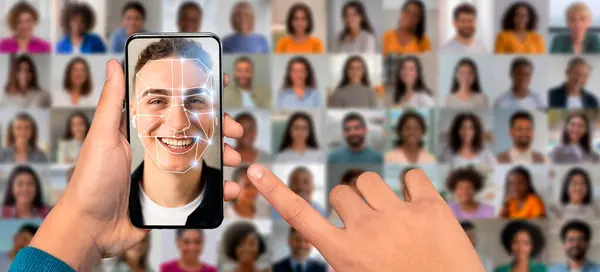
Before searching for a person using a photo, you should understand the difference between these two methods. A standard reverse image search attempts to find the same or visually look-alike images on the indexed web. Google Lens, for example, can show similar images, objects in the photo, and pages where that image or a variation of it appears. Facial recognition works with a different feature. Namely, a person’s face. Therefore, on premise, it can link different photos of the same person, even when the background, clothing, or angle differ. This is where reverse face search can be useful, specially when the goal is not simply to find copies of a specific file. This type of facial recognition search is designed to find a person by their face and can link results to social media profiles, web pages, mentions, and other public sources. A functional service allows you to work with screenshots and photos of diverse quality. This is an important contrast. Search by image can lead you to the source of a photo, whereas a face search aims to find images and public profiles related to a person. You’ll then need to verify the matches you find, rather than taking the first result as fact.
How to Find Someone With a Picture
Start with the best photo you have and try a few different options. The first step is to choose the most telling image. A clear photo where the face is clearly visible usually provides more chances to study than a heavily cropped or blurry image.
If there are several people in the photo, pay attention to exactly who you want to find. For a standard image search, it’s sometimes helpful to crop out unnecessary parts and focus on the relevant area. Google Lens also lets you select a specific part of the image before searching.
Options
A single photo doesn’t always produce results. If you have several photos of the same person, it’s best to check them singly. In one photo, the face might be partially hazed. Another might contain more details, and in a third, the person might even be looking away. This approach helps determine a genuine match from a random similarity. If different photos lead to the same public profiles or sources, the result is obviously more useful
How to Search for an Image Step by Step
If your goal is to find out where a photo comes from, start your search by doing a standard image search. Google Lens lets you upload a photo from your device or select an image directly from a web page. The results may include similar images and pages where the image or a similar version appears online. This is mainly useful when the photo is taken from a public profile, another webpage, or a news article. The source you find sometimes immediately includes the person’s name or additional context.
Confirm the profiles you find
If the search leads to a social media profile, don’t immediately assume it’s real. Check the name, profile description, post dates, and other publicly available details. Several independent indicators are much more reliable than a single matching photo. This is especially important when checking online dating profiles. The same photo can be used by different people, and the mere presence of an image on the internet doesn’t prove that the profile belongs to the person in the photo.
Face Finder: What it can and cannot tell you
A tool sold as a Face Finder shouldn’t be treated as a digital record that unequivocally identifies a person.
Facial recognition results depend on:
- Photo quality,
- Availability of public images,
- Specific system features.
Even if the system shows a similar profile, check the context. The person may have changed in appearance or style, and the photo may have been edited or used by someone else. That’s why a facial match is a reason for further confirmation, not automatic proof.
Respect for Privacy
Face search is linked to biometric data, so it should be treated with caution. The U.S. Federal Trade Commission warns that facial recognition technologies can pose risks to privacy and data security, as well as lead to errors.
Before uploading a photo, check:
- How does the specific service use the image?
- How long does it store it?
- Does it share it with third parties?
Do not use the findings for blackmail or to gain access to private accounts. Just because data is publicly available doesn’t mean any use of it is reasonable.
Conclusion
It’s possible to find a person using a photo, but the result depends on what exactly you’re looking for. Reverse image search is well-suited for finding sources, copies, and similar images. Facial recognition, on the other hand, focuses on the connection between a face and various public images. The best plan is to start with a high-quality photo, try several search choices, and carefully compare the results. Don’t confuse a technical match with a proven identity. A photo can provide a useful lead. However, a final conclusion requires further separate evidence and respect for the person’s privacy.