Background color is not just a matter of taste, but it is also a potent weapon of product photography. The background is not only appealing to the eye, but also makes it easier to tell your brand story and make the right or wrong choices. Colors are capable of being a source of attention, emotion, and even making purchases. The background helps to make your product stand out, and it still has a cohesive and professional appearance.
In many cases, techniques like background removal, clipping path, and placing products on a white background are essential to achieve a clean and distraction free look. Nevertheless, the optimal choice of background cannot always be easy because it is based on various factors such as platform, type of product, and branding. It is a guide to sellers of e-commerce, photographers, and marketers; it will help you grasp the notion of how to select the most appropriate background color, and rely on some practical guidelines, the psychology of colors, and platform demands.
Also Read: Clipping Path vs Background Removal
The First Step: Right Background for Product & Platform
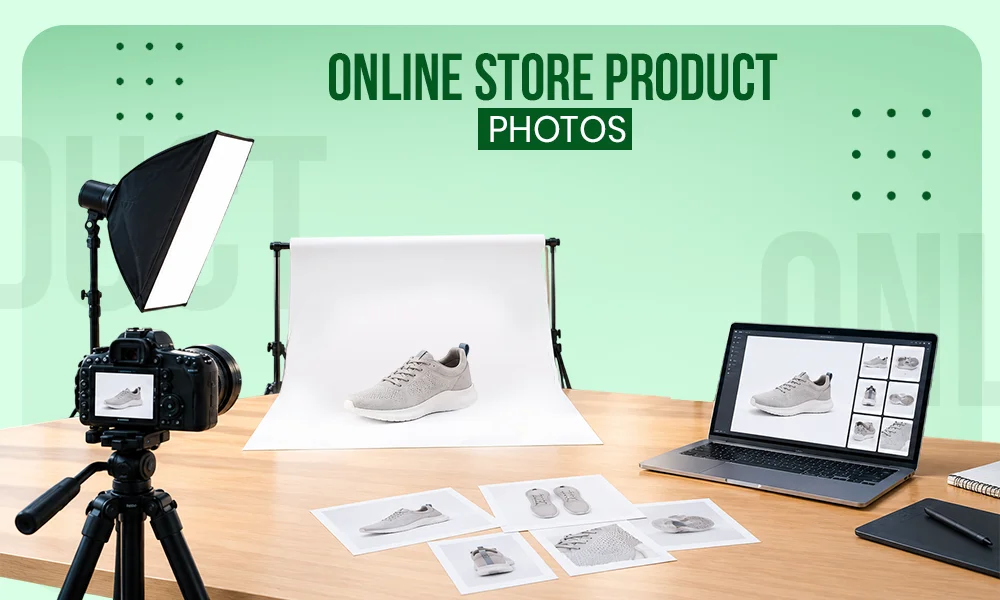
The first step to having the right background is to know where your product will be located. In the case of e-commerce stores, white background (RGB 255, 255, 255), off-white, or other light grey backgrounds are the most effective since these help avoid distractions and allow the customer to concentrate on the product. Platforms like Amazon require pure white background (RGB 255,255,255), often achieved through background removal and precise clipping path to make the entire listing have a uniform and professional appearance. White backgrounds remain consistent in other markets like Etsy or eBay, where one can be more flexible. Adding subtle shadow creation can also enhance depth.
Also Read: Amazon Product Image Guidelines
Match Background Colors with Your Product
Visual impact is determined by the connection between your product and its history. Developing contrast makes your product stand out. An example of this is the complementary colors that can be used to make bright products using the color wheel. It is usual to have warm products with a cool background, as well as cool products with warm shades. Additionally, using color variants of backgrounds can help showcase different moods or branding styles.
Key Factors to Consider When Selecting Backgrounds
When it involves adding more items, such as props or models, it is necessary to balance. The props must go hand in hand with the product, but not take away the theme of the brand, as in the example of natural props when it comes to organic products or minimalism when it comes to a clean appearance. In the case of models, the clothing, skin tone, and styling of the models must be in harmony with the background. It is always necessary to emphasise the product and have a coherent and attractive composition.
- Color Psychology and Emotions: Colors define the response and the feeling of customers. As an example, blue is a representation of trust and calmness, and green is a symbol of freshness and nature. No single color is the best one; your palette must be determined by your brand message and the feeling you would like to cause in your audience.
- Brand Consistency: The uniformity of all the visuals is the way to create a recognisable brand image. Background colors must be similar to the colors of your website, your packaging and your branding. This visual harmony is maintained by planning your photoshoot. Using white background images or uniform color variants ensures a polished look.
- Multi-Device Compatibility: The appearance of product images must be attractive on all devices. Because most users are browsing and shopping via mobile, test backgrounds on various screens and brightness. This makes sure that your product is visible and appealing all the time. Clean edits using optimized lighting with shadow creation ensure clarity everywhere.
Most Popular Background Colors in Product Photography
The most popular product photography background is white. It provides a distraction-free appearance, which is clean and enables the product to shine through; it also meets the needs of the majority of e-commerce stores, and makes it easier to edit. Moreover, white backgrounds will ensure consistency among the product listings and even increase their loading speed because of the easier image compositions.
- Different- Unobtrusive Elegance: There is a more neutral shade of such colors as beige, grey, and off-white, which is a lighter variant of pure white. They also bring personality without too much focus on the product. These colors are suitable for a broad field of industries such as fashion, skincare, and interior design. Neutral colors are also a balanced look, and therefore, they give the best look when a brand wants to create a warm or modern look. Subtle shadow creation enhanced depth white maintaining a clean aesthetic.
- Black- Dramatic Elegance: The use of black backgrounds is very dramatic and glamorous. They work well to bring out textures, reflections, and finer details, particularly with products such as jewellery, leather products or technology devices. Although black is very classy, it is necessary to have the product well-lit without making it indistinct.
- Color for Vibrant Impact: The colors can make your product more effective and dynamic with colored backgrounds. Color contrast and complementary colors enhance the products and products respectively. Bright colors are more energetic, and pastels are more relaxing. It is the most effective strategy when it comes to brands that desire to build a deep visual impression.
- Natural Materials for Organic Textures: Walls and floors of such materials as wood, marble, or stone provide a sense of deep and textural backgrounds. Wooded floors are cosy, and marble and concrete have a contemporary, minimal appearance. They are particularly useful with lifestyle products or artisanal products where customers can see the use of the product in the real world.
Also Read: Best Ecommerce Product Photo Editing Trends
Enhance Flexibility with Post-Production Editing
You can always add the background after the shoot in case you do not have the ideal background at the time of the shoot. One can edit or alter backgrounds using photo editing software such as Photoshop. This creative freedom allows you to explore various appearances without making commitments on the day of the shoot so that the final photos are in line with your expectations.
Also Read: Best Product Photo Editing Software for E-commerce
Final Thoughts
The color of the background is a tactical move that will influence the perception of your product. Platform requirements are not the only factors that affect what will be the best choice; brand identity and product type are among other factors. Although white is always a safe choice, it is also possible to experiment with colors, textures, and neutrals to make your visuals stand out. Finally, an attractive background improves attractiveness, branding, and more successful conversions.
Frequently Asked Questions (FAQs)
Q1. What is the best background color for product photography?
Ans: The best background color is based on your platform and type of product. The most commonly used is white since it will retain the attention on the product and also suit the e-commerce requirements. Nevertheless, the background can be neutral, black or colored to suit branding and produce a better visual impression.
Q2. Why is a white background commonly used in e-commerce images?
Ans: The white background brings out a distraction free appearance to the product. It is also the safest and most professional and many platforms such as Amazon need it to be consistent across listings.
Q3. How do I choose the right background color for my product?
Ans: Start with thinking about your product color, brand name and selling site. Contrast is used to make your product stand out, and the background should be used to complement the product as opposed to dominating it. Experiencing and trying out various solutions can aid in discovering the most successful appearance.
Q4. Can I change the background color after the photoshoot?
Ans: Yes, you can change or make backgrounds, or even customize them, very easily in post-production, with professional editing commands such as background removal and clipping path. This provides the room to test the various styles without having to reshoot the product.