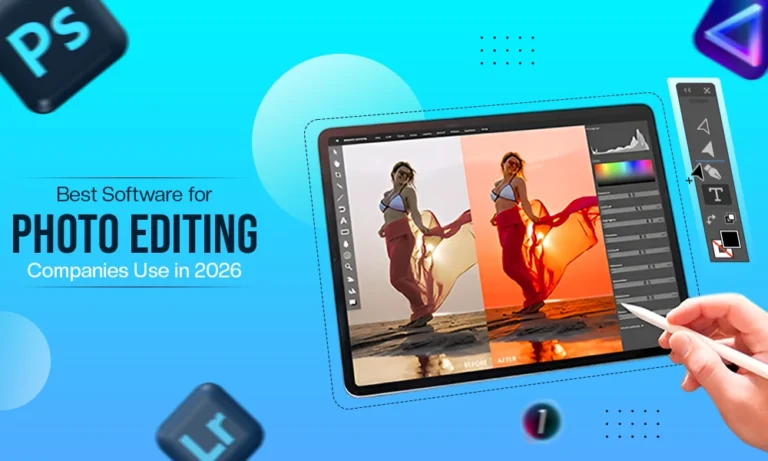
With the rise of social media photo sharing, this has allowed photo editors to have access to even more options for creating iconic pictures prior to posting them on their social media pages, thereby creating an even larger market for photo editing tools globally. This leads to the million dollar question, “What do other photo editors use when using photo editing apps and or photo editing websites since there are thousands of different options and tools available?” To answer that question, I will delve deeper into the very large world of tested top quality photo editing applications and websites to assist you in making a choice for the best option for you and your editing needs.
The Core Photo Editing Softwares
Adobe Photoshop: Best for Precise Image Editing
While many other programs and technologies have grown and advanced much more than Adobe Photoshop, when it comes down to image masking, cloning, retouching, background elimination and all the other operations that require a high level of precision, the only option is still Adobe Photoshop. The types of tools such as the pen tool healing, the layer mask and other tools are synonymous with high levels of precision editing standards established in the image editing industry and Adobe Photoshop is still leading the industry with respect to how a standard is established today.
The classic version of Adobe Photoshop has many new features that are designed for the creative use and application of Artificial Intelligence (AI). Some examples of this include; high quality removal of backgrounds, skin retouching, ghosted objects removal, and all types of masking. The new innovative Creative Cloud version of Adobe Photoshop allows all users to have access to create great images for the marketplaces of fashion photography, product photographs, and many others.
Adobe Lightroom (RAWS)
Among all the available tools, the Adobe Lightroom has been the most recognised as an industry standard. It is very well established as a great photo editing tool. Lightroom offers unique functions/operations for color correction, RAW file processing, catalogue management, preset applications, and many others. Although the recent application of Lightroom for batch color correction of products in the eCommerce industry is the first time an application has been able to produce catalogue products that can be viewed in a wedding catalogue or any catalogue of other wedding supplies in the same format as in Adobe Lightroom. This is accomplished with tools such as batch processing, color grading and other features that allow a user to edit and publish their images from their studio.
Photoshop vs Lightroom Professional Editing Tool
Adobe Photoshop is well-known for its accuracy in image editing and manipulation. Conversely, Adobe Lightroom is a quick program designed specifically for color correction, making it the go-to choice for companies that need bulk editing at once.
Both Adobe Photoshop and Adobe Lightroom have their own individual ways of being used, with Adobe Photoshop being mostly used for finalizing images and producing composite images through photo manipulation whilst Adobe Lightroom’s primary purpose is to work with RAW files, color grading, and producing multiple image batches.
AI-Powered Photo Editing Tools
Technology as it stands today has advanced drastically and is now composed of Artificial Intelligence (AI) which has changed the way we use photo editing software in the past few years. AI-based photo-editing software provides a new approach to image editing whereas before photo upscaling, (i.e., removing backgrounds, fixing lighting, etc.) time-consuming processes today can be accomplished quickly while maintaining 100% control. As a result, businesses are able to be much more productive and manage their workloads through the help of AI photo editing software.
Based on this, here are some examples of companies that are using AI photo editing Software
Luminar Neo
Among AI photo editing tools, Luminar Neo is rated as the leading tool that gives you complete control over your photos while also providing quick and easy one-click AI tools for editing. In addition to performing basic edits such as removing objects, masking, replacing items, and retouching portraits, users can create beautiful photos with the new features of Light depth to improve the quality of image resolution, as well as change a black-and-white photo into color by removing minor scratches or other small defects on a photo. All of these tools make Luminar Neo one of the most efficient, vibrant, and user-friendly photo retouching software in the world today.
Capture One Pro
Capture One Pro is one of the best professional photo-editing programs currently available for both professional photographers/photo editors because it is one of the most reliable and user-friendly editing programs in the industry today. Capture One Pro provides a complete set of professional editing tools in one package and has exceptional RAW Processing capabilities that will allow you to enhance the quality of your images. Its high-quality tethering capability will allow photographers to see the quality of their images during the capture process and improve the quality of those images before printing, which is why it is a popular choice for studio photography.
Creative Design Centric Photo Editing Tools
Image editing is a useful supplement to photo retouching, but it has evolved beyond that. In addition to being used as an editing tool, many companies have begun using image editing in their content strategy (such as for social media, digital marketing, and product rebranding). Various options for image editing software exist that are design focused and allow for users to easily create visually appealing social media posts, advertisements, and other types of collateral. Some of these products are non-professional friendly so anyone can edit photos and create professional looking uploads to use in their postings. A list of the most popular current photo editing tools includes:
Canva
Canva is a design centered photo editing program that is cloud-based and can be used to quickly create visually appealing photo uploads via drag & drop or template usage. Canva is very beginner friendly; therefore, anyone can start using it without having extensive photo editing experience. Its robust design ecosystem provides substantial value to marketers, content creators, and professional studios, as well.
Affinity Photo
Affinity Photo is considered the closest competitor to Adobe’s Photoshop and Lightroom and is therefore referred to as one of the most powerful photo editing applications available. Affinity Photo provides the functions needed by most photographers, designers, and other digitally created artists. Affinity Photo also has an extensive range of functions available such as photo retouching and creating complex composites.
Also Read: Top Photo Editing Software for E-commerce
Final Thoughts
To reflect a complete balance of power, efficiency and price, photo editing software is used that you can pick from as per your needs. Adobe Photoshop and Adobe Lightroom are the champions in photo editing while capture one, Affinity Photo and Canva are design focussed image editing tools. Moreover, AI-driven, highly flexible and high end photo editing ecosystems are the future of editing.
Frequently Asked Questions
Q1. Why do professionals still use Photoshop if AI can remove backgrounds automatically?
Ans: While AI tools like Remove.bg or Photoshop’s “Select Subject” have improved, they often have issues with soft edges such as hair, fur or clear glass. Photoshop Pen Tool and Refine Edge are professional agency workflows to provide pixel-level accuracy needed in high-end print and large-scale e-commerce displays.
Q2. Is Lightroom better than Capture One for e-commerce?
Ans: It depends on the workflow. Adobe Lightroom is the champion of batch organization and catalog management, making it suitable for large-scale e-commerce projects. Capture One Pro, however, is often preferred for its superior color rendering and “tethered” shooting in studio environments where immediate quality feedback is needed.
Q3. Does Affinity Photo replace Photoshop for professional companies?
Ans: Affinity Photo is a powerful, affordable alternative that many freelance designers love. However, most top editing companies stick to Adobe Creative Cloud because of its industry-standard collaboration tools, cloud-based asset libraries, and the most advanced AI ecosystem (Adobe Firefly) currently available.
Q4. Can Canva be used for high-end photo retouching?
Ans: No. Canva is a great tool for graphic design and social media layout, but it does not have the bit-depth, frequency separation and RAW processing capabilities that would allow it to be used as a professional-grade photo retouching tool. To have high quality product images, then you must have a special software such as Photoshop or Capture One.