In the glossy vs matte photo debate, glossy is better than matte when you want a super sharp image with lots of bright colors, but matte is best if you don’t want light reflecting off the surface of your picture or fingerprints smudged onto it. Which finish is best for you will depend upon what you are printing, from which direction light comes into your prints, and who will be touching your prints.
Below, we have compared both finishes. We’ll also explain when and how best to edit images differently depending on their final finish.
Quick Answer:
In the matte vs glossy photos choice, glossy is good for images with a lot of contrast, like wedding pictures, portraits, products, etc., while matte is good for artwork framed and hanging in bright rooms, black-and-white photographs, or albums that get handled frequently. Regardless of which one you choose to use, make sure you edit your digital file and soft-proof it according to that type of finish.
What Is the Difference Between Glossy and Matte Photos?
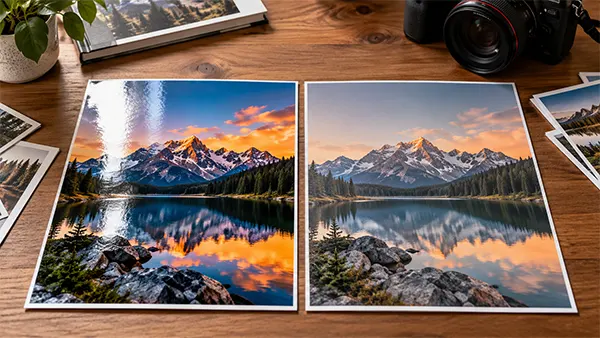
Glossy vs matte photographs are differentiated by their finish. In other words, the surface quality. A glossy photo will have an extremely high-quality glossy coating, which adds black depth as well as color saturation. On the flip side, a matte photograph is made on a completely flat or matte surface that simply scatters the light rather than reflecting it back at the viewer.
This changes all of the above: color, contrast, glare, etc., as well as the durability of a photograph after being handled. After thoroughly reviewing this topic, I came to realize that glossy tends to make your colors and contrasts pop, while matte typically looks flat because glossy makes your highlight areas pop.
Glossy vs Matte Photo Prints: Side-by-Side Comparison
Here is how glossy vs matte photo prints compare on the factors that matter most
| Feature | Glossy | Matte |
| Color vibrancy | Bold and saturated | Soft and muted |
| Contrast | High, with deep blacks | Lower, with a flatter look |
| Detail | Crisp and punchy | Gentler edges |
| Glare | Strong under direct light | Minimal |
| Fingerprints | Show easily | Hide well |
| Scratch resistance | Scratches more readily | Tougher surface |
| Typical cost | Often lower | Often higher |
| Best for | Weddings, portraits, products | Fine art, black-and-white, framing |
Canon notes that matte suits softer palettes and black-and-white or desaturated images, though blacks may not look as deep.
Pros and Cons of Glossy Photos
Glossy photo prints are typically the standard at almost all commercial printing laboratories due to their advantages.
| Pros | Cons |
| The use of glossy photo paper produces rich and vibrant colors, which will really make your photos stand out. | Glare from sunlight through windows or glass surfaces; lights, including flashlights and lamps, etc., will occur when viewed. |
| High-resolution files produce very sharp details and clearness. | Fingerprints and scratches will also appear on a glossy photo fairly quickly. |
| Deep blacks and lots of contrast create a great image. | |
| Most print labs have this type of paper. |
Canon states that glossy is a good option for photographs that include vivid colors, as well as dark black areas and bold, contrasting colors. Canon notes that one negative feature of glossy is glare/reflection from light sources (windows, glass, etc.) after the photograph has been printed.
Pros and Cons of Matte Photos
Matte prints get a softness in exchange for a softer atmosphere. Matte is suitable to use when you need the viewer’s emotional response more than the viewer seeing your image at all times.
| Pros | Cons |
| No glare from any viewing position | Lower contrast colors and muted colors |
| Fingerprints and handling marks are hidden. | Less detailed-looking images due to the softening effect, disappointing with sharp objects |
| An elegant, artistic style of printing, as well as film-style and black & white images | Black areas appear less deep than they do on glossy |
| Flat result if the print file wasn’t created specifically for matte |
Honestly, Matte has been unfairly blamed for creating dull-looking images. Most files are prepared for glossy; therefore, most files will have a flat look on matte.
Glossy or Matte Photos: Which Is Better for Your Shoot?
There isn’t one “winner” when it comes to finding a great paper for every single use case. Instead, we’ll provide you with some examples of different types of papers that are well-suited for certain applications.
- Wedding and Portrait Albums: A glossy finish is commonly used on wedding photos due to its ability to enhance colors and details. However, albums are typically subject to much handling, which may make matte or luster finishes preferable to protect album pages from wear.
- Landscape and Travel Prints: Glossy is always going to win out. It provides much better definition on water, foliage, and skies than matte, thanks to higher levels of saturation and contrast.
- Black-and-White and Fine Art: Matte generally has the upper hand. Glossy can provide a softer surface for tonal gradations and creates a gallery style for fine art black-and-white prints.
- Ecommerce Catalogs and Marketing Prints: The use of glossiness helps product photography appear sharp and visually appealing within catalogs or lookbooks. When you have the same images used for both online shopping and print, we maintain that polished look through our ecommerce photo editing services for your products across all mediums.
- Framed Wall Art: Matte is the safer pick behind glass because it avoids double reflections. PetaPixel also notes that matte prints tend to work well with frames.
Pro Tip:
A glossy hero print for the wall and matte or luster prints for the album. It shows range and protects the pieces people will touch most.
How Does Your Photo Finish Change the Way You Edit?
Your finish should shape your edit, not just your paper order. A file tuned for glossy rarely looks right on matte, and vice versa. Keep these adjustments in mind:
- Color: Glossy handles strong saturation well. For matte, a slight boost in vibrance helps offset the muted surface.
- Contrast and blacks: Matte can flatten shadows, so a gentle contrast lift keeps depth. Glossy often needs less.
- Sharpening: Glossy reveals fine detail, so over-sharpening shows. Matte softens edges, so print sharpening can be a bit firmer.
- Retouching: Glossy surfaces and reflections expose skin flaws, dust spots, and stray hairs more readily. Clean files matter even more here.
- Soft-proofing: Preview the result on screen before printing.
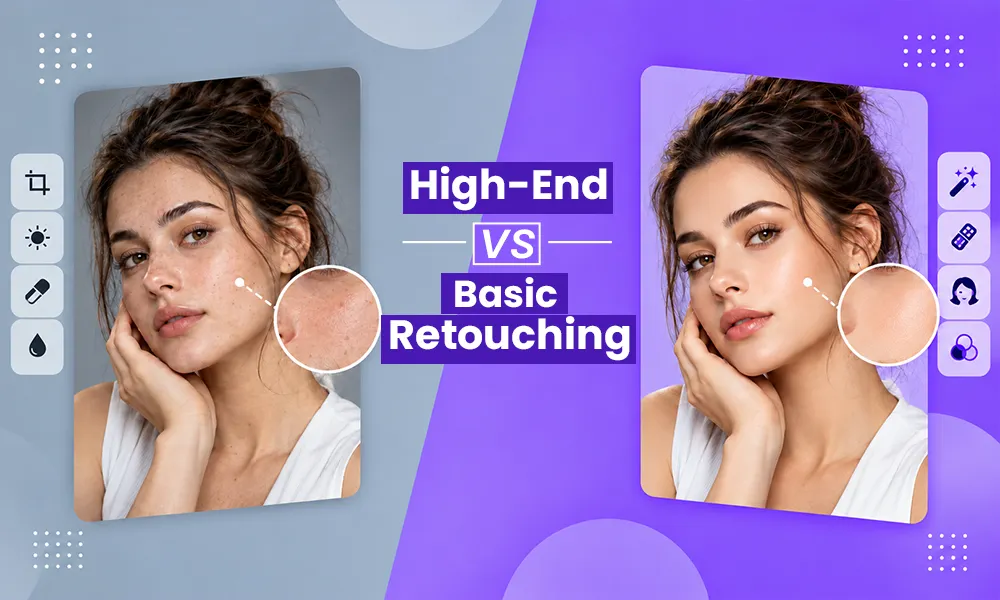
If you would like to have another person assist with photo color correction or photo retouching for your specific finish. Are you unsure of the amount of editing needed? High-end retouching is explained by our guide on high-end vs. basic retouching.
Research Has Shown:
The documentation from Adobe’s Lightroom Classic states that Soft Proofing simulates how an image will look when it prints, shows which colors cannot be printed using your printer, and also simulates the light gray of true black ink and the warm off-white of true white paper.
Common Mistakes When Choosing Between Matte and Glossy
Most of the time it’s just one or two mistakes that lead to poor quality prints. Keep an eye out for some common ones:
- Using the same edit for both your matte and glossies. Matte and glossy will show different levels of color and contrast reproduction; therefore, you need to create separate edits (or use a soft proof) for each.
- Using Glossy as an edit option for a framed photo hanging in a bright area with lots of glare
- Editing Matte as an edit option for a very high-contrast shot without adding vibrance.
- Not doing a test print on a large order
How to Pick the Right Finish in 4 Steps
Use this quick process to decide with confidence:
- Check the display lighting. Bright windows or spotlights point to the matte. Controlled light suits are glossy.
- Match the subject. Vivid color and detailed, glossy lines. Moody or monochrome work leans matte.
- Adjust the edit. Fine-tune color, contrast, and sharpening for your finish, then soft-proof.
- Order a test print. Compare one image of both finishes before committing to a full order.
Conclusion
The decision on glossy versus matte photography has to do with what you’re photographing, how you’ve lit that scene, and where that image is going to be hung. Choose a finish, then work in that finish. That’s what makes an average print into an excellent one.
Get print-ready images without the guesswork. Get started with a free trial with Visuals Clipping for ten images, or request a quote and inquire about our 1st order discount.
Frequently Asked Questions
Q1. Is matte or glossy better for photos?
Ans: Both finishes have their uses. For great detail, full-color prints are generally best with a glossy finish. Framed photographs, particularly those in black and white, and bright environments are better suited to matte.
Q2. What is the difference between glossy and matte photos for framing?
Ans: Matte is usually better behind glass because it avoids glare and double reflections. Glossy can look stunning framed but needs controlled lighting.
Q3. Should I edit photos differently for matte and glossy prints?
Ans: Yes. Matte often benefits from slightly more vibrance and contrast, while glossy needs cleaner retouching because it shows flaws more clearly. Soft-proof for each finish.